
Missing something in RecurX? The Feature requests board lets you suggest it and vote for ideas from other stores. The most-voted ideas shape the roadmap. It takes about 2 minutes.
Who it's for: anyone using RecurX, on any plan. To report something that's broken instead, see Report a problem to RecurX support.
Step 1: Open the board
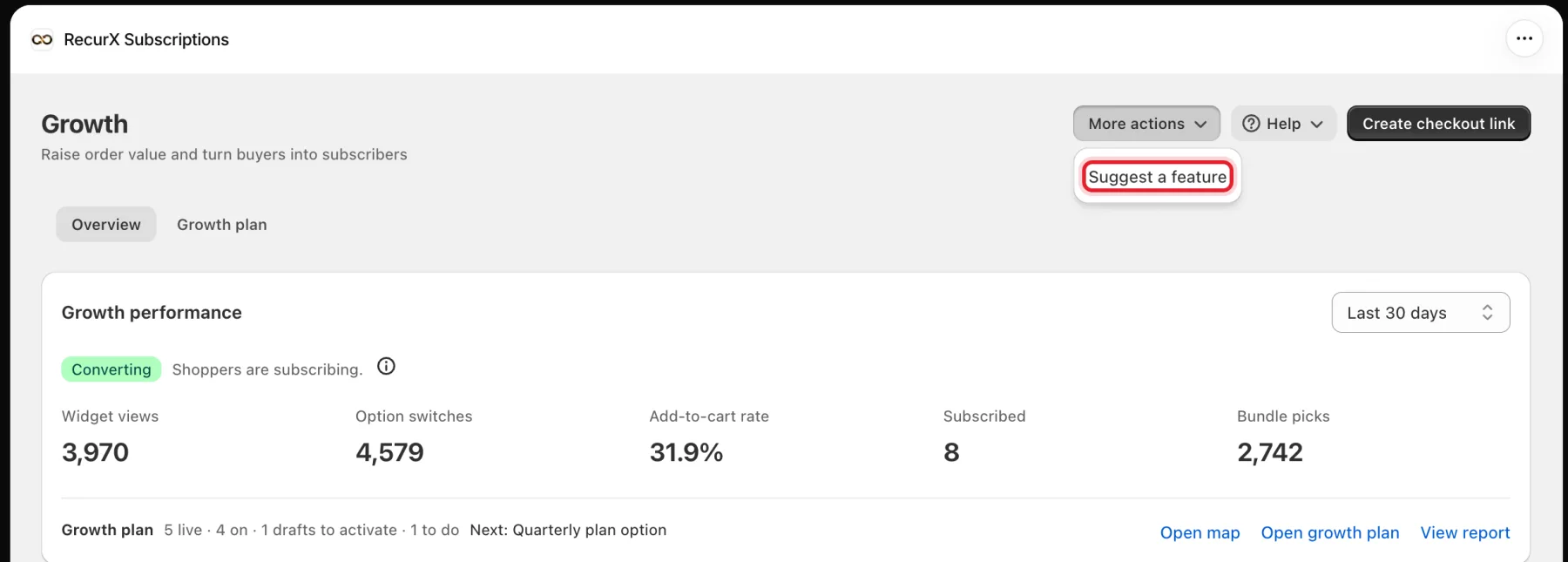
Go to Growth and click More actions → Suggest a feature at the top of the page.
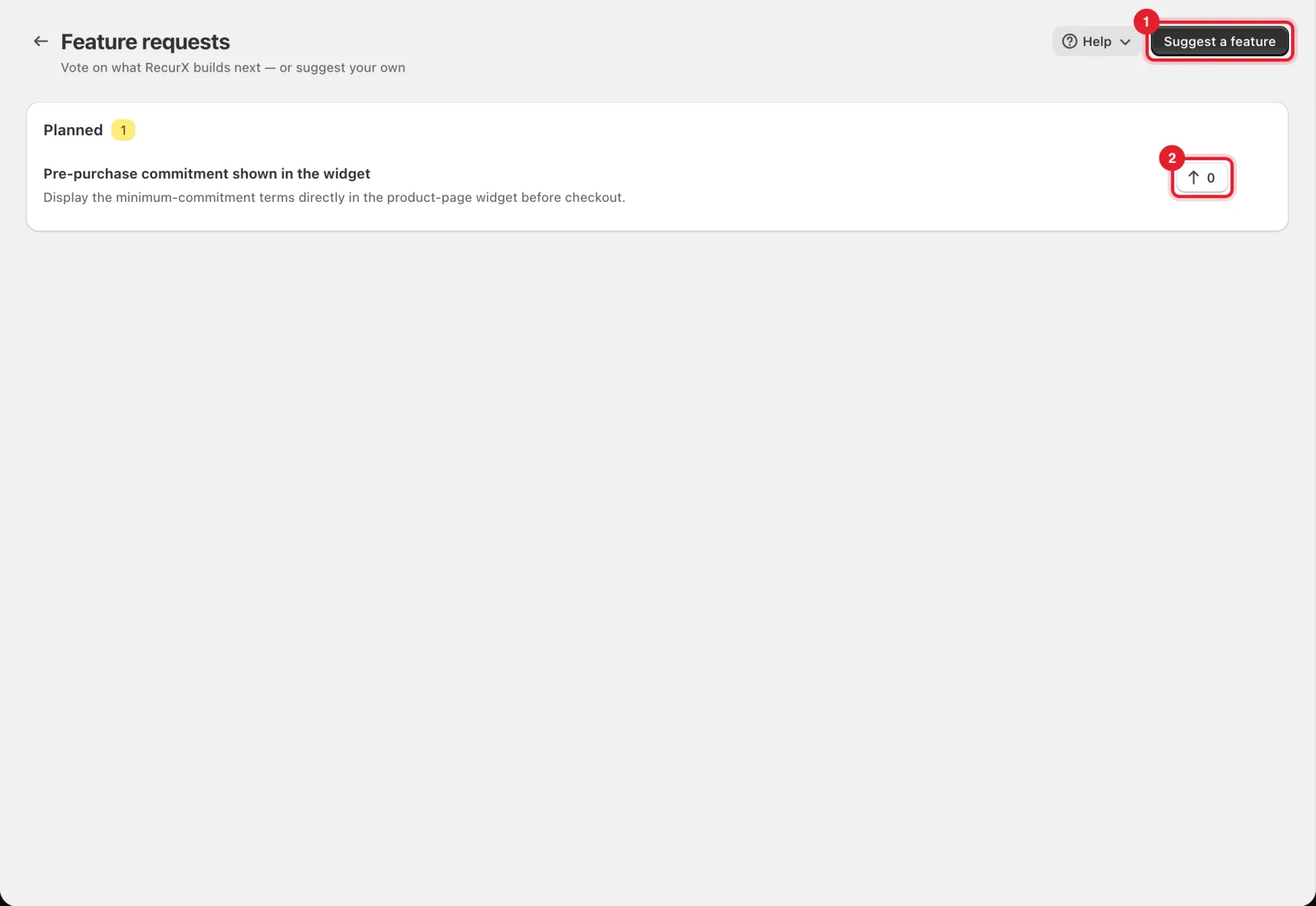
Requests are grouped by status: Under review, Planned, In progress and Shipped. Your own requests are marked Yours.
Step 2: Vote for an idea
Click the arrow button next to a request (2) to vote for it. The number shows how many votes it has.
Step 3: Suggest your own
- Click Suggest a feature (1) in the top right.
- In What should RecurX do? (1), give it a short, descriptive title (at least 8 characters).
- In Details (optional) (2), explain what problem it would solve for your store.
- Click Submit.
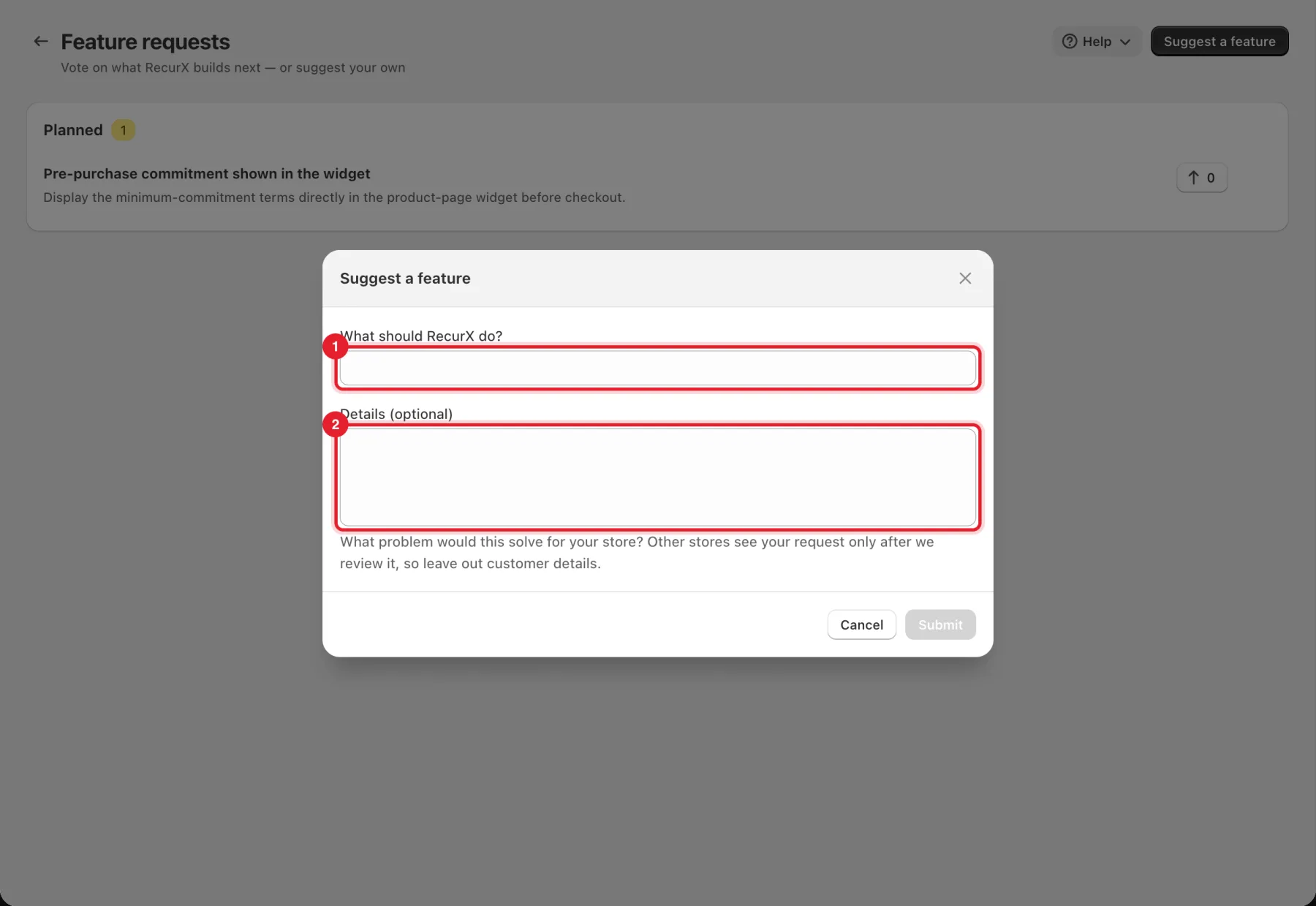
Important: Other stores see your request only after RecurX reviews it, so leave out customer details. Until then it sits under Under review, visible only to your store.
Good to know
- Every request is read.
- Have a question rather than an idea? Ask the assistant or contact support — see Get help: RecurX Assistant and support chat.