
The Growth page is where every RecurX tool for winning more subscribers and bigger orders lives. Each tool has a card that says where it shows up (product page, cart, a link you share, and so on), whether it's on, and a button to open it. This guide walks through the page and lists every tool with a link to its own guide.
Who it's for: anyone setting up RecurX on the storefront. Most tools are on every plan; the ones that need Pro say so below and on their card.
To open it, go to Apps → RecurX Subscriptions → Growth in your Shopify admin.
Growth performance
The card at the top (1) shows how your storefront widget did over the range you pick (Last 7 days, Last 30 days or Last 90 days):
- Widget views: how often the subscription widget was shown.
- Option switches: how often shoppers switched between options in the widget.
- Add-to-cart rate: the share of views that ended in an add to cart.
- Subscribed: new subscriptions that came through the widget.
- Bundle picks: how often shoppers picked a volume or bundle option.
A badge (for example Converting) sums up whether the whole path works: the widget renders, shoppers engage, and subscriptions are created.
The Growth plan line under the numbers counts your plan's steps and names the next one. Use Open growth plan (2), Open map (3) or View report (Growth analytics).
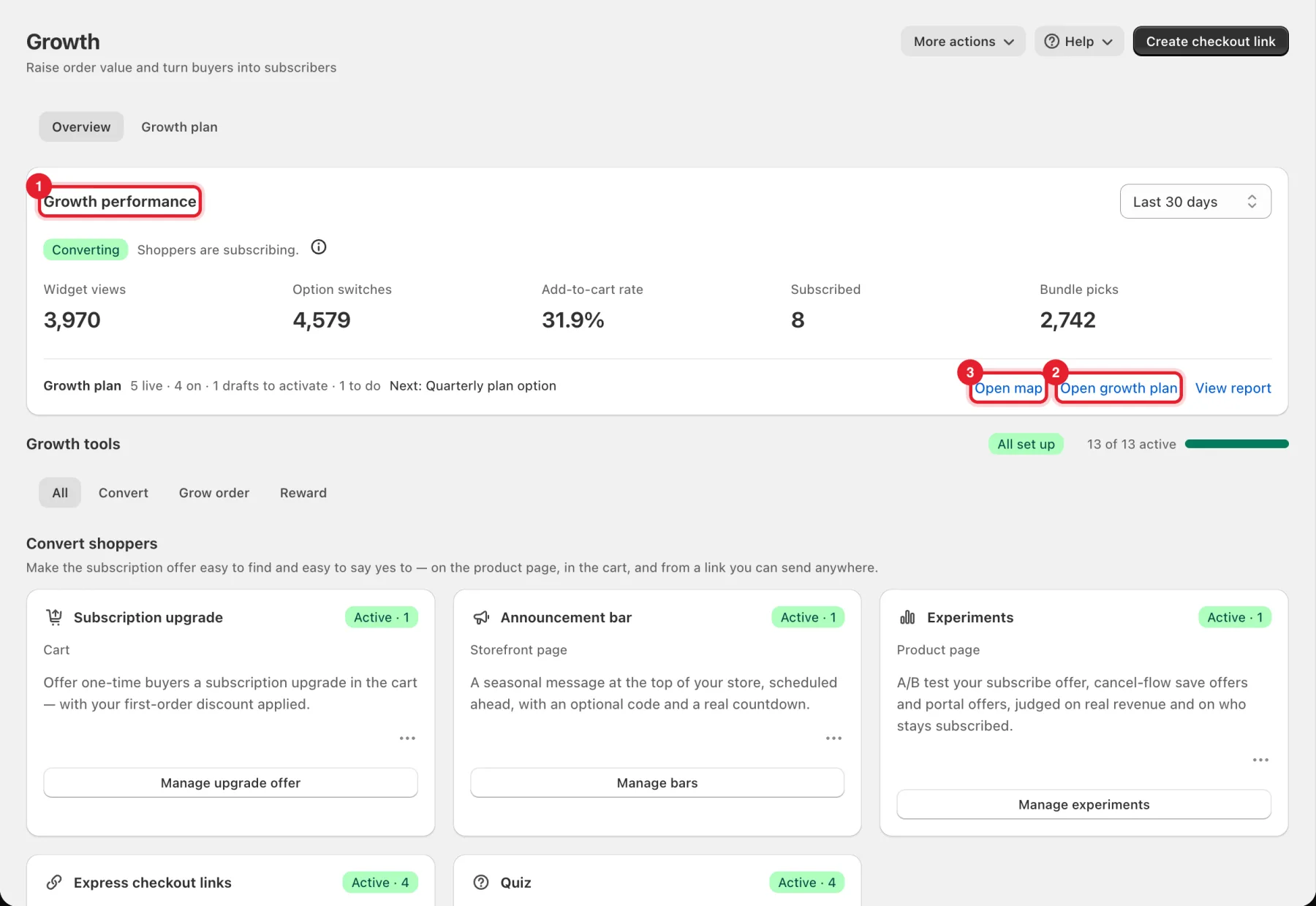
Tip: Create checkout link in the top right is a shortcut to a new express checkout link. More actions → Suggest a feature opens Feature requests.
Growth tools and filters
Under Growth tools, the bar on the right counts how many tools are active (for example 13 of 13 active). Use the tabs to narrow the list: All, Convert, Grow order or Reward.
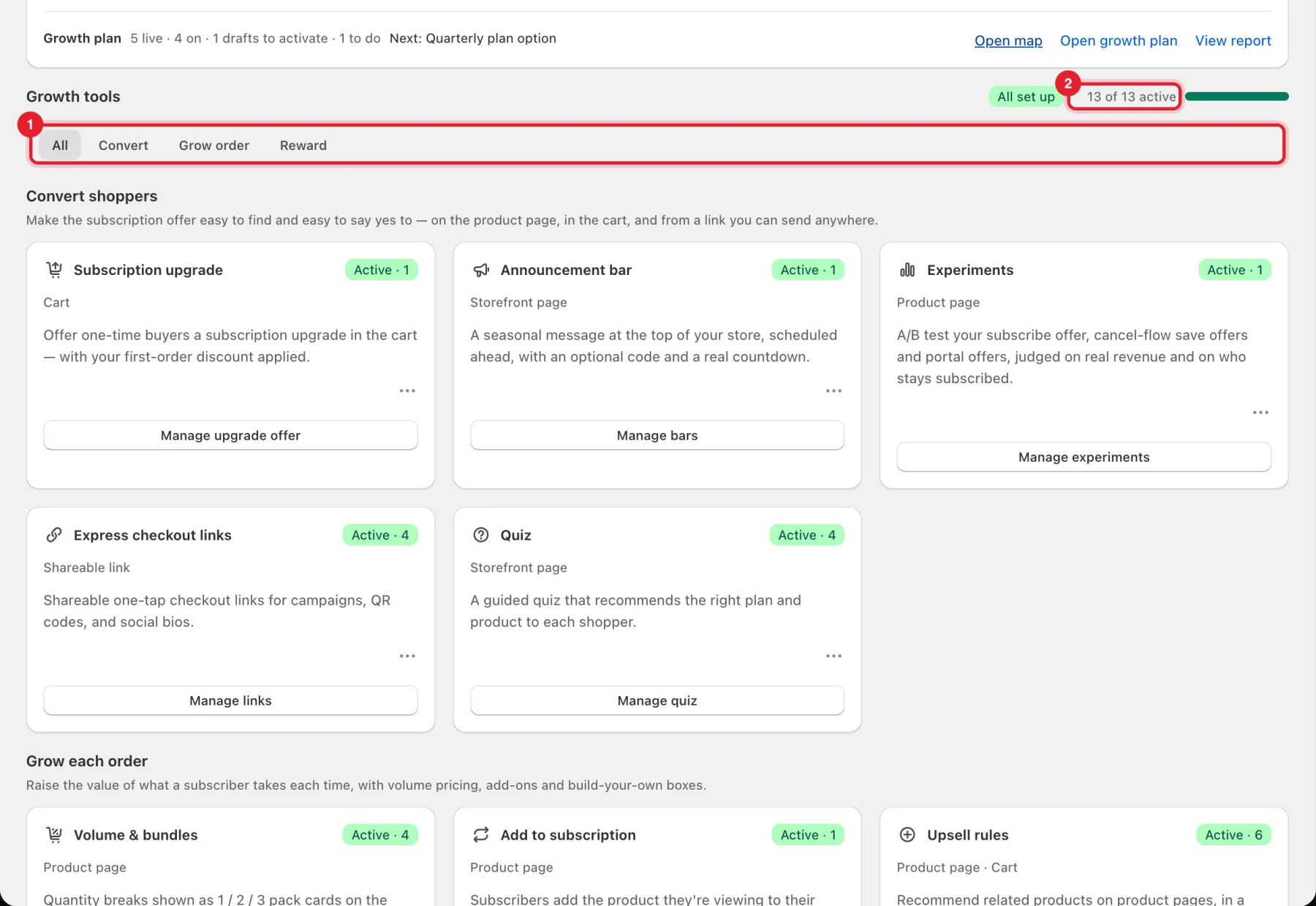
Each card shows a status badge (Active · 3 means three items are live; Not set up means none yet), where the tool shows for shoppers, and a button that opens it.
Convert shoppers
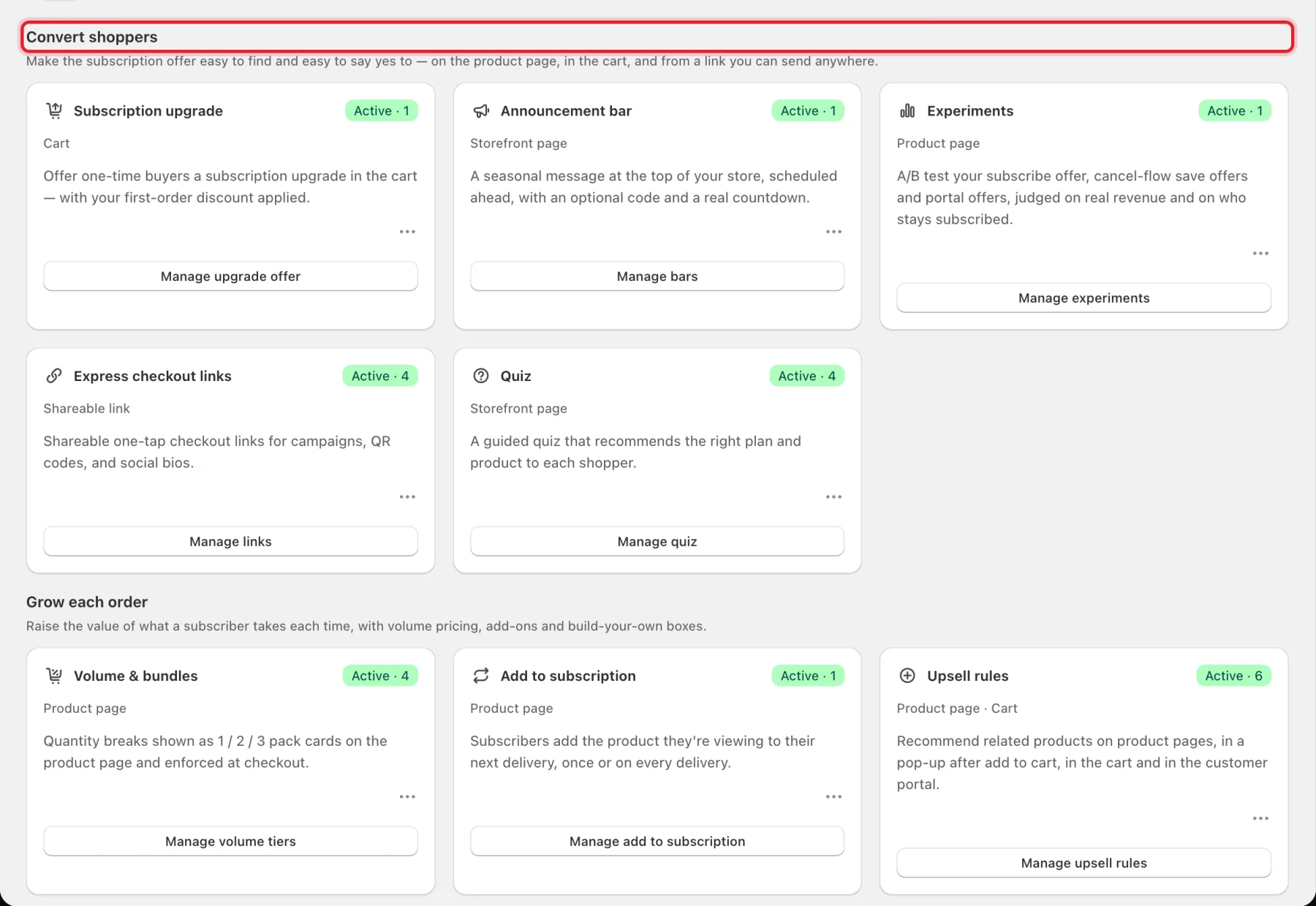
- Subscription upgrade (cart): offers one-time buyers a switch to a subscription in the cart, with your first-order discount. See Cart drawer subscription offers.
- Announcement bar (storefront page): a seasonal message at the top of your store, scheduled ahead, with an optional code and countdown. Basic and Pro. See Announcement bar.
- Experiments (product page): A/B tests of your subscribe offer, cancel-flow save offers and portal offers. Pro plan, and only shown on stores where RecurX has switched experiments on — ask support. For cancel-flow tests see Cancel flow and save offers.
- Express checkout links (shareable link): links and QR codes that open checkout with the products and plan already chosen. See Express checkout links.
- Quiz (storefront page): a guided quiz that recommends the right plan and product. See Product quiz builder.
Grow each order
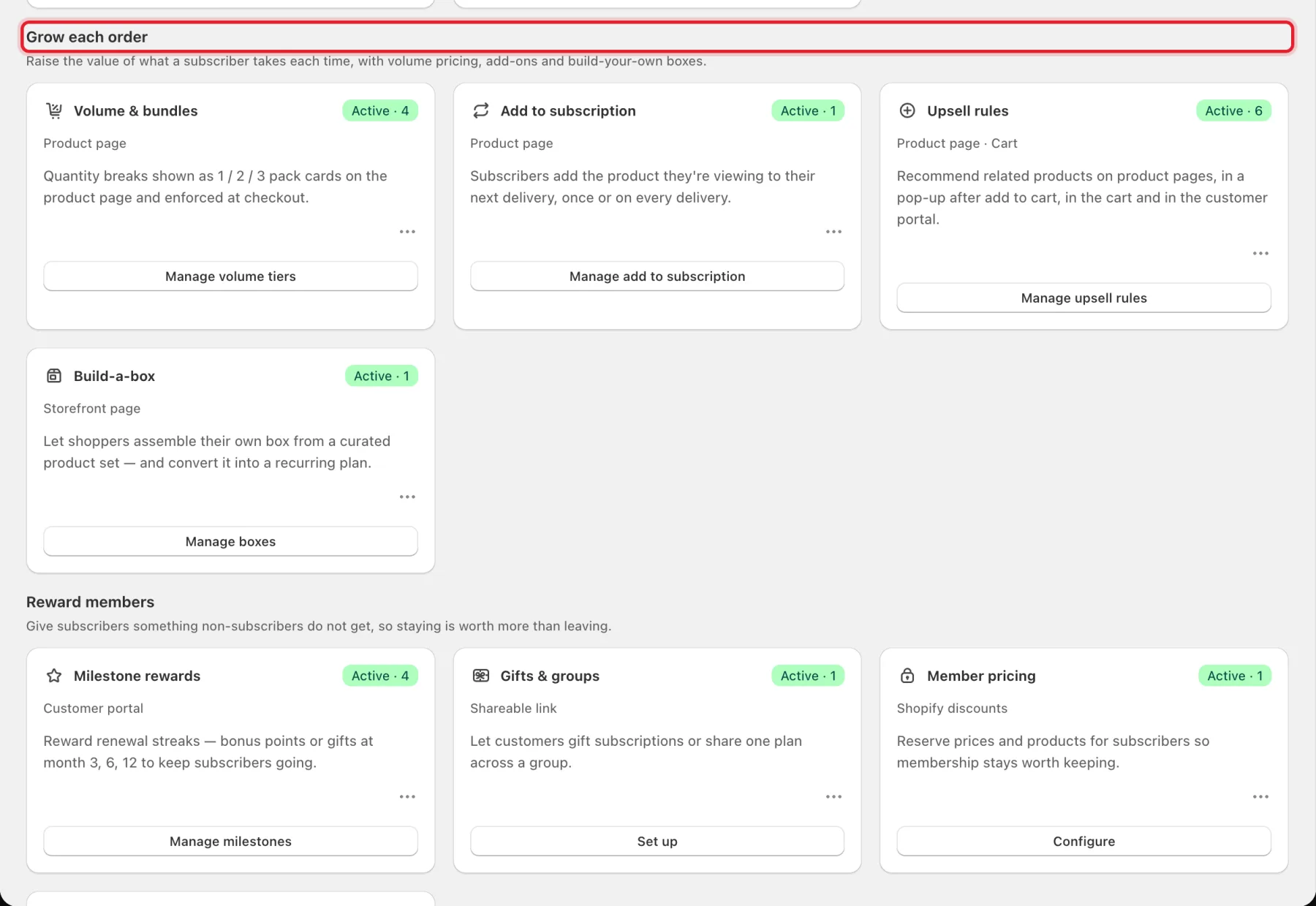
- Volume & bundles (product page): 1 / 2 / 3-pack cards with quantity discounts, enforced at checkout. See Volume discounts and bundles.
- Add to subscription (product page): subscribers add the product they're viewing to their next delivery, once or on every delivery. Pro plan. See Add to subscription.
- Upsell rules (product page and cart): related products on product pages, in a pop-up after add to cart, in the cart and in the customer portal. See Upsell rules and free-shipping bar, Cross-sells, Order bumps and After-purchase offers.
- Build-a-box (storefront page): shoppers assemble their own box and subscribe to it. See Build-a-box subscriptions and Launchpad Bundles.
Reward members
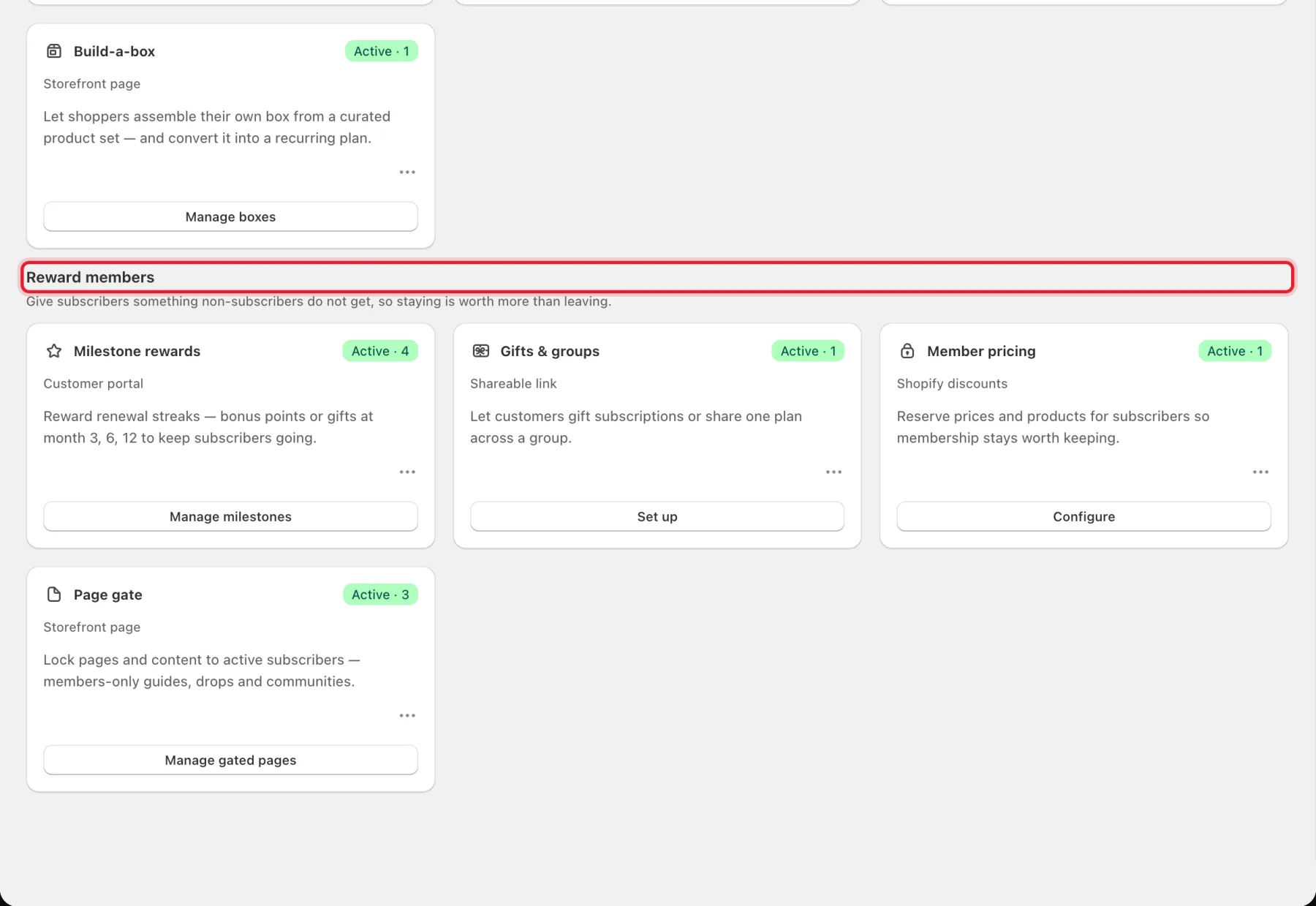
- Milestone rewards (customer portal): bonus points or gifts for renewal streaks at month 3, 6 and 12. See Loyalty program.
- Gifts & groups (shareable link): shoppers buy a subscription as a gift. See Gift subscriptions.
- Member pricing (Shopify discounts): reserves prices and products for subscribers through a customer tag. See Member pricing.
- Page gate (storefront page): sends non-members away from members-only pages. See Page gate.
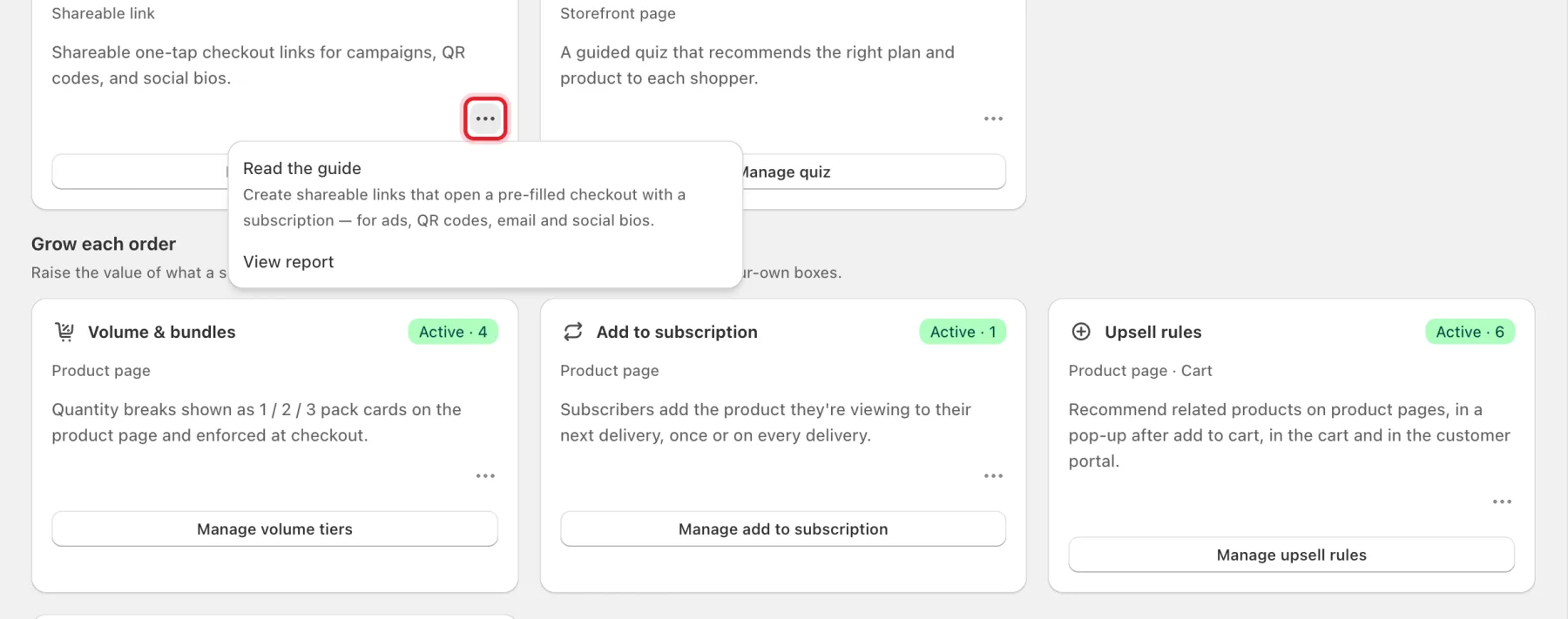
Card menu
Click ••• on any card for Read the guide (with a one-line summary of the tool) and View report.
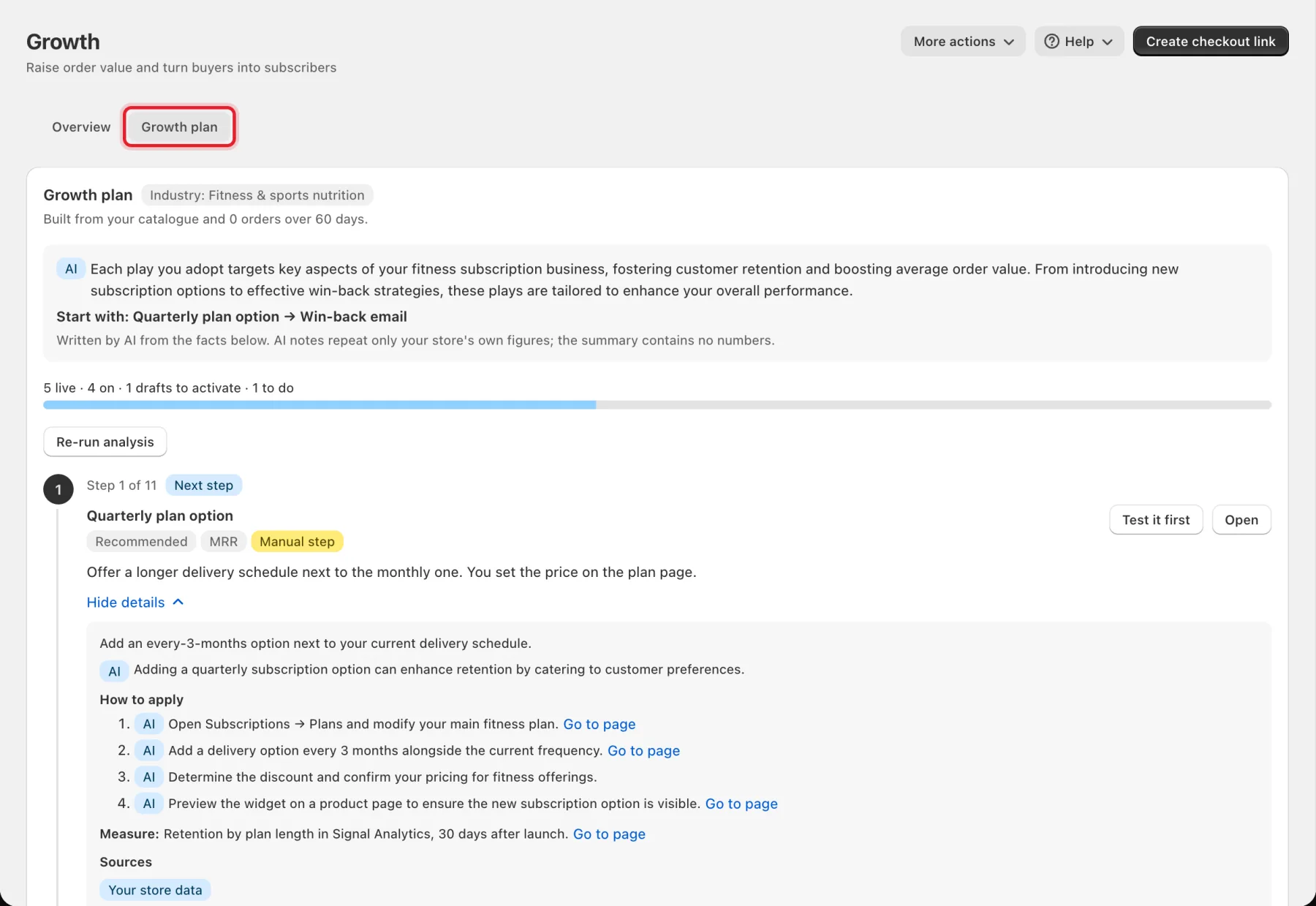
Growth plan, map and Today
- Growth plan tab: a step-by-step plan built from your catalogue and orders, with what to do next, how to apply each step and how to measure it. Click Re-run analysis to rebuild it. Notes marked AI are written by AI from your store's facts.
- Growth map: every RecurX piece on your store and whether it's live. See Growth map.
- Today: the subscribers worth acting on this morning. RecurX switches it on — see Today: your daily revenue plan.
- Cart analytics: there is no separate page; see where to find cart data.
Where to start
- Nothing on your storefront yet? Publish a plan and turn on the RecurX app embed first — see Install and customize the subscription widget. Most growth tools only show once the widget is live.
- Already selling subscriptions? Turn on the cart offer (Cart drawer subscription offers) so one-time buyers can switch before checkout, then add a frequently-bought-together offer on your best-seller.
- Measure it. Check View report after a couple of weeks — see Growth analytics.