
Today is a short daily list: the subscribers RecurX found this morning who are worth acting on, how much revenue is at stake for each, and a Do it button that takes the suggested action for you. It takes about 2 minutes a day.
Who it's for: store owners who want one place to see where revenue can be saved or won back today. It isn't in the sidebar. To open it, open RecurX in your Shopify admin and add /growth/today to the end of the app's address, for example admin.shopify.com/store/your-store/apps/recurx/growth/today.
Note: RecurX switches the daily revenue plan on. If the page says The daily revenue plan isn't switched on yet, ask support (Help → Contact support).
Step 1: Read the headline and your margin
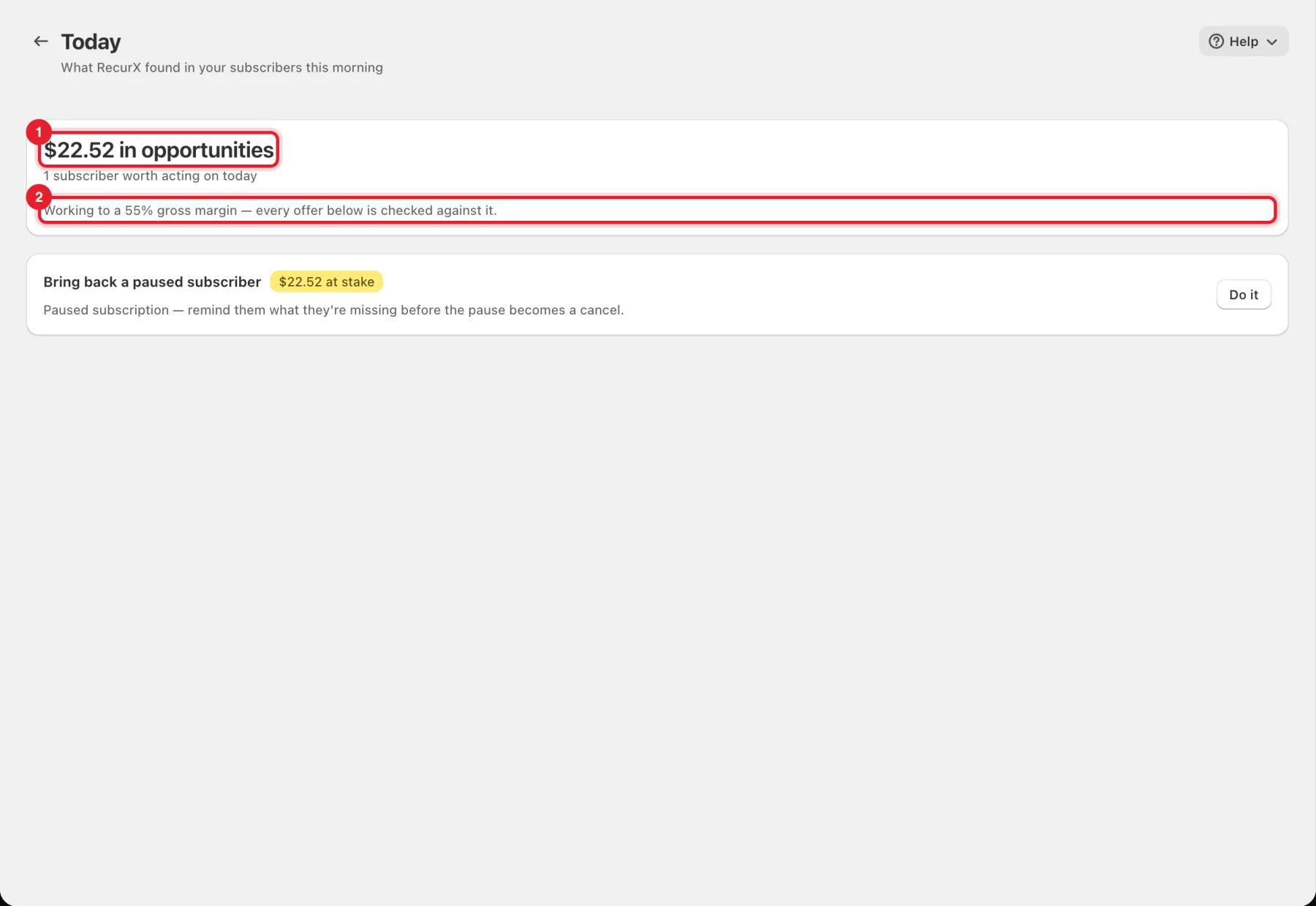
At the top you see the total (1), for example $22.52 in opportunities, and how many subscribers are worth acting on today.
The line under it (2) shows the gross margin RecurX works to: Working to a 55% gross margin — every offer below is checked against it. If you haven't entered a margin yet, the card One number unlocks the rest asks for your Average gross margin instead. Type it (a number from 1 to 100) and click Save margin. Until RecurX knows your margin, it won't suggest a discount to save a subscriber, and offers expected to cost more than they bring in are skipped.
Step 2: Review each suggestion
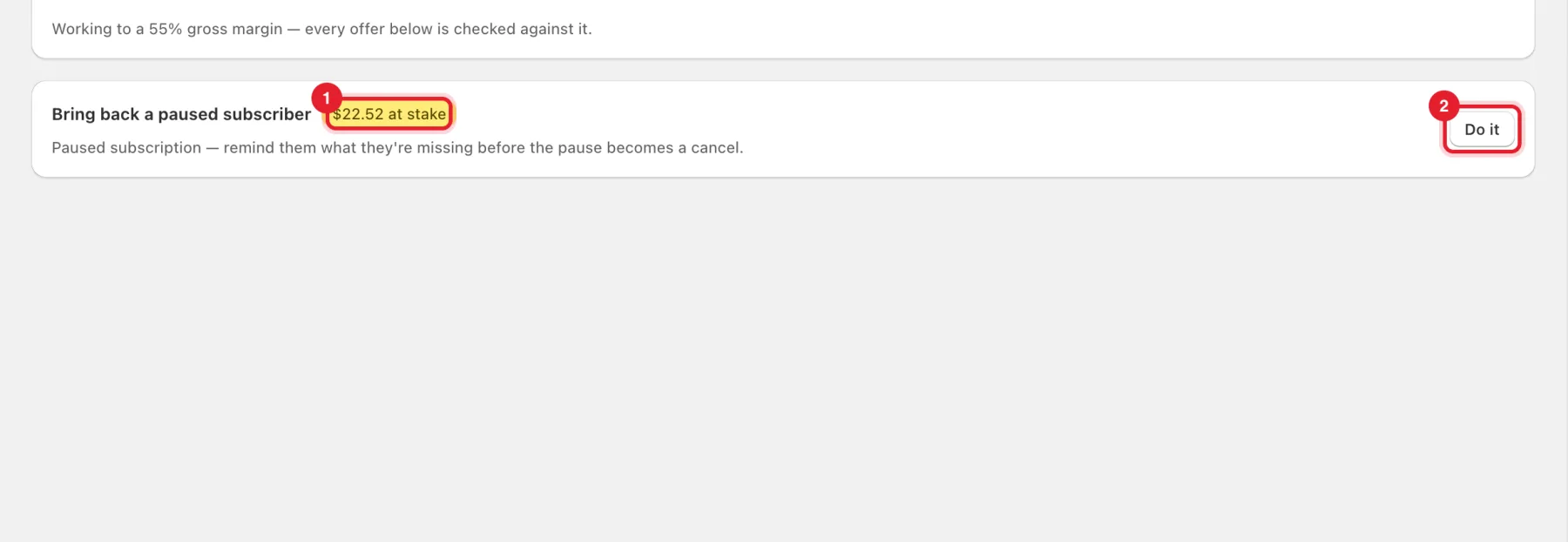
Each card is one subscriber to act on. It shows:
- the kind of action, for example Bring back a paused subscriber, Recover a failed payment, Keep a subscriber who's likely to cancel or Win back a cancelled customer;
- the amount (1), for example $22.52 at stake, and what it costs when there is a cost;
- why RecurX picked it, in one line;
- the Do it button (2).
Step 3: Act on a suggestion
- Click Do it on the card.
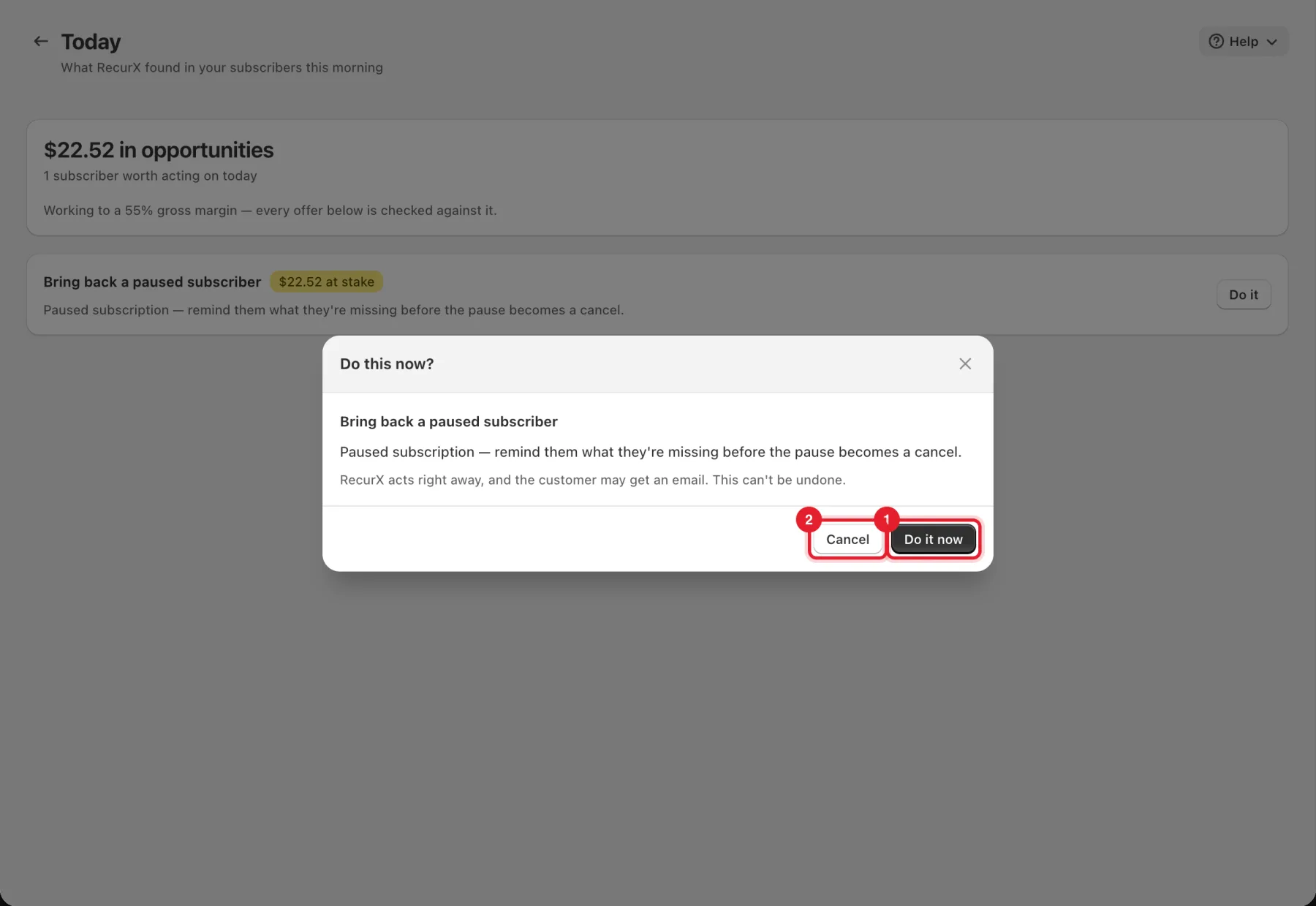
- Read the Do this now? window. It repeats the suggestion and warns: RecurX acts right away, and the customer may get an email. This can't be undone.
- Click Do it now (1) to go ahead, or Cancel (2) to leave it.
Important: Do it sends a message to the customer. It never charges a card or changes a subscription. Some suggestions are marketing emails: those need your own email provider. If you see Not sent: this is a marketing email, and it needs your own email provider, connect one under Campaigns → Email — see Connect your email provider.
Good to know
- When nobody needs attention you see All clear: RecurX checks again tomorrow morning.
- What's working appears once RecurX has tried a kind of action. It compares how often it worked with how often things turned out the same when RecurX did nothing, and says when there is no measurable gain yet.
- The list is built each morning from your subscribers.
- For a fuller view of who might cancel, see At-risk subscribers.