
MRR at Risk adds up the monthly recurring revenue of subscriptions that may stop soon. The MRR at Risk page lists those subscriptions with the reason and a button to open each one, so you can step in before the revenue is lost.
A subscription counts as at risk when it is:
- Set to cancel: the customer asked to cancel.
- Billing issue: a renewal payment is failing.
- Paused: it's paused, so it isn't billing.
- High churn risk: its churn risk score is high.
Who it's for: anyone who looks after retention. The totals are on every plan. The list of individual subscribers is part of full Signal Analytics, on the Basic and Pro plans.
Step 1: Find the MRR at Risk card
- In your Shopify admin, open Apps → RecurX Subscriptions and click Signal Analytics in the sidebar.
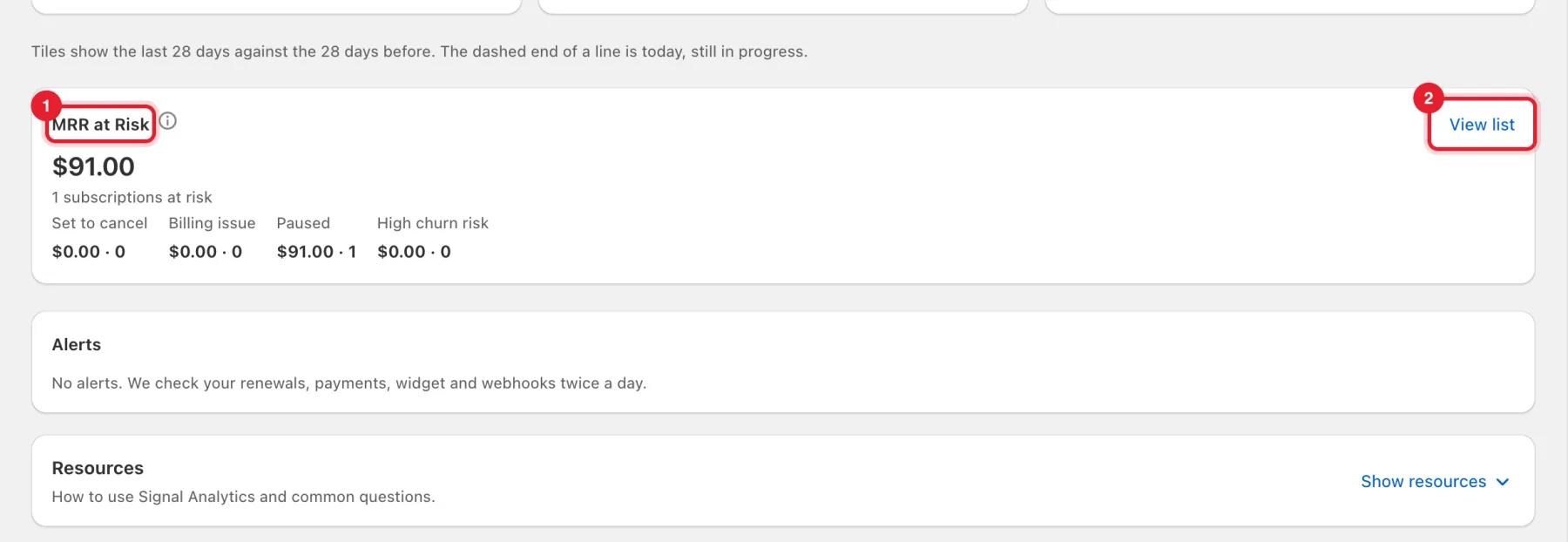
- The MRR at Risk card shows the total, how many subscriptions are at risk, and the amount and count for each reason.
- Click View list.
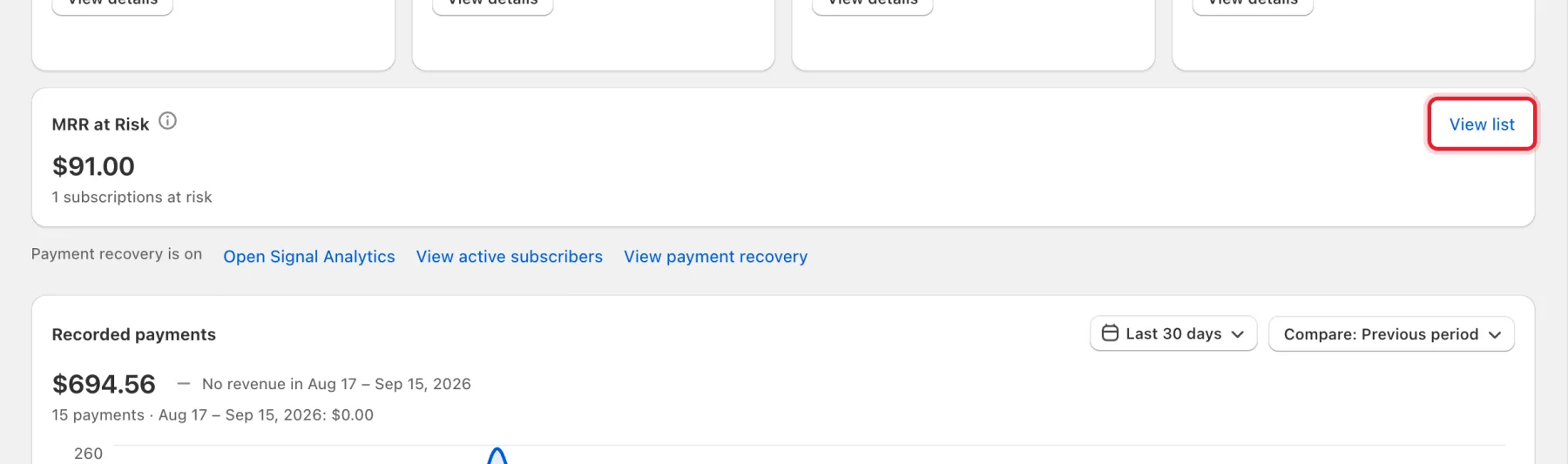
A smaller version of the card is also on Home, with the same View list link.
Step 2: Filter by reason
On the MRR at Risk page:
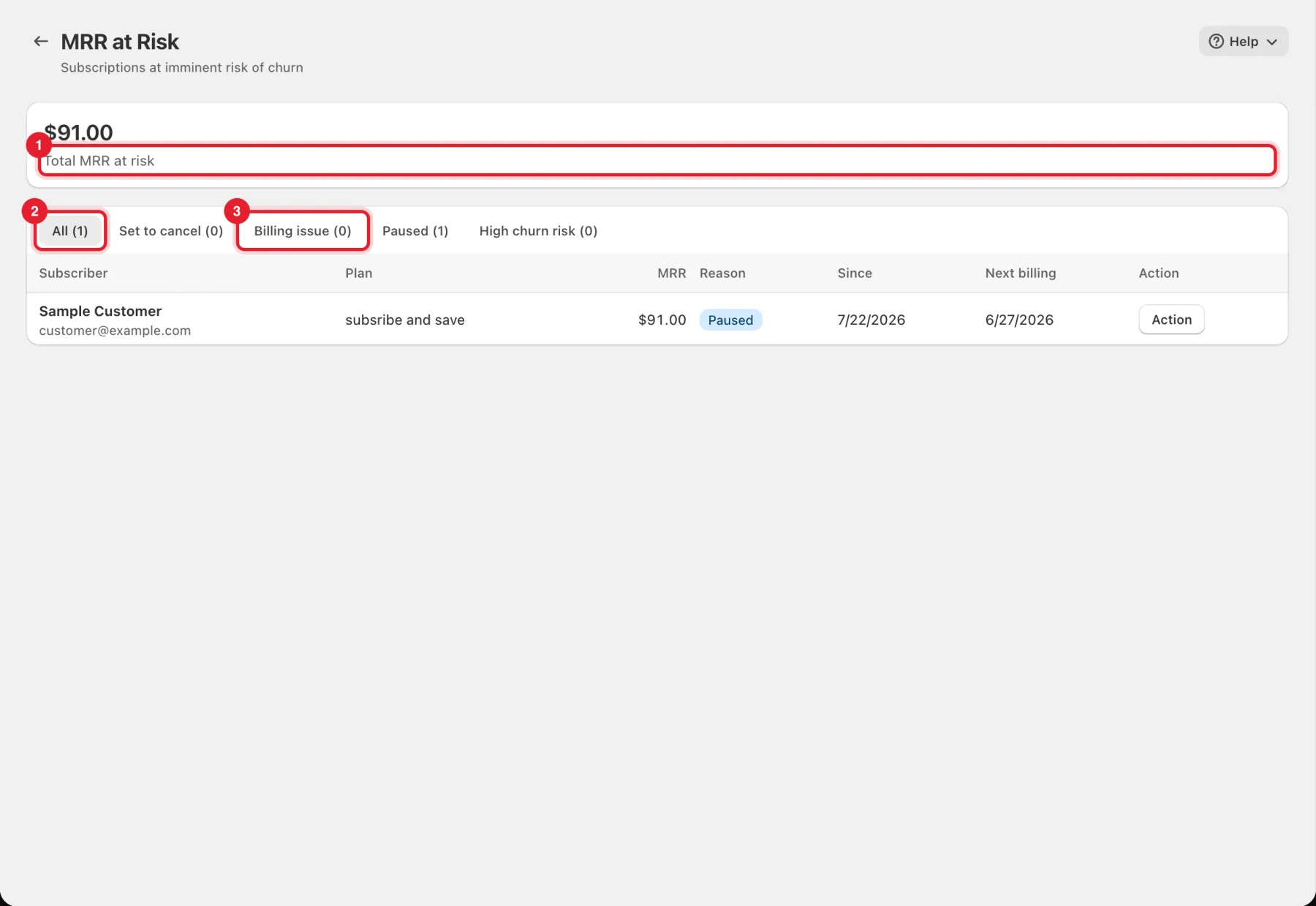
- Total MRR at risk is at the top.
- The tabs filter the list: All, Set to cancel, Billing issue, Paused and High churn risk, each with its count.
Step 3: Open a subscription and act
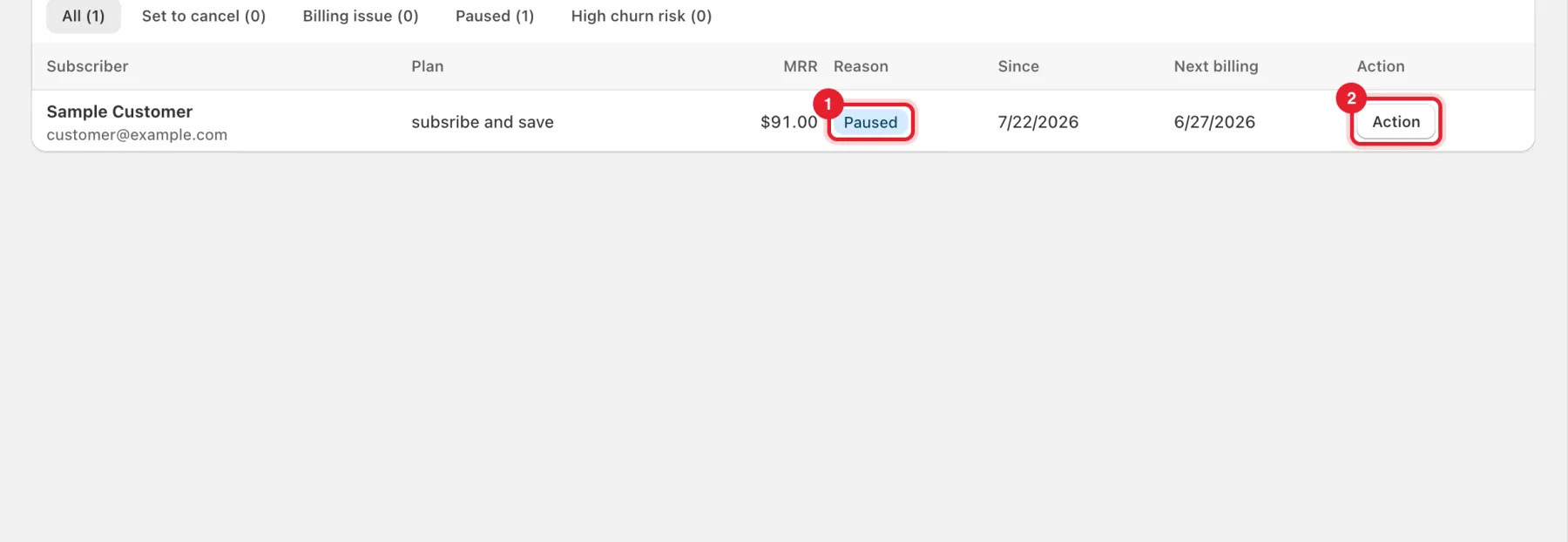
Each row shows the Subscriber, Plan, MRR, Reason, Since and Next billing.
- Check the Reason badge.
- Click Action to open the subscription.
The subscription page holds the right tool for each reason. Action only opens it, and nothing is sent automatically.
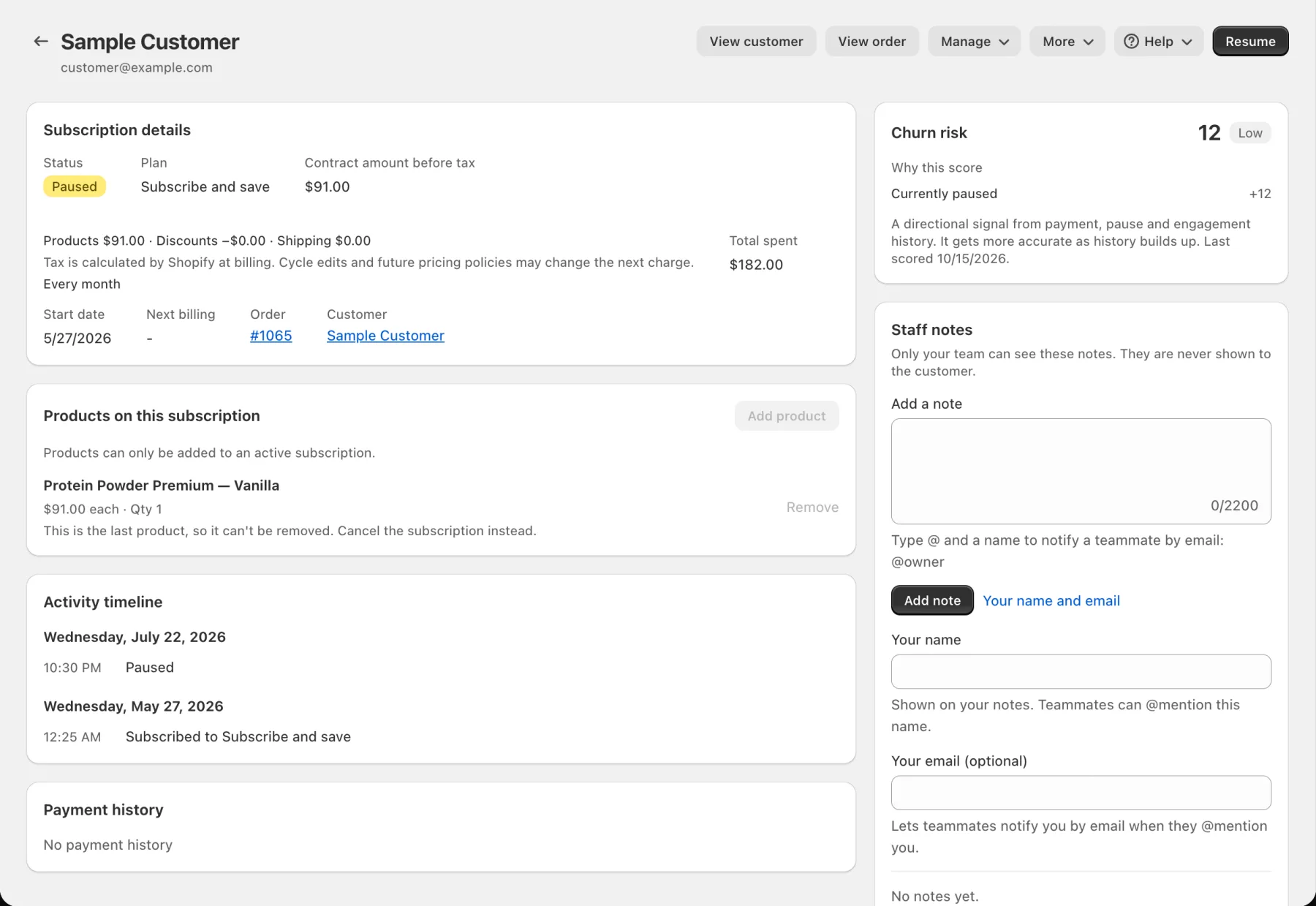
- Paused: click Resume if the customer asked you to.
- Billing issue: the subscription page has the payment tools, such as sending a payment update link, which asks you to confirm first.
- Set to cancel or High churn risk: see the Churn risk card for Why this score, and contact the customer.
Good to know
- No subscriptions at risk means nothing is currently showing high churn risk, billing issues or set to cancel.
- On a plan without full Signal Analytics, the page shows The list of individual subscribers is part of full Signal Analytics. The totals above are available on every plan.
- The churn risk score is a directional signal from payment, pause and engagement history. It gets more accurate as history builds up.
- To stop cancellations before they happen, set up the cancel flow and save offers. For failing payments, see Payment recovery.