
Found something that doesn't work as expected? Report it from inside RecurX, so support can see which store you're on. A clear report with a screenshot is usually fixed much faster than "it doesn't work". It takes about 2 minutes.
Who it's for: anyone using RecurX, on any plan.
Step 1: Open Contact support
- On any RecurX page, click Help in the top right.
- Click Contact support.
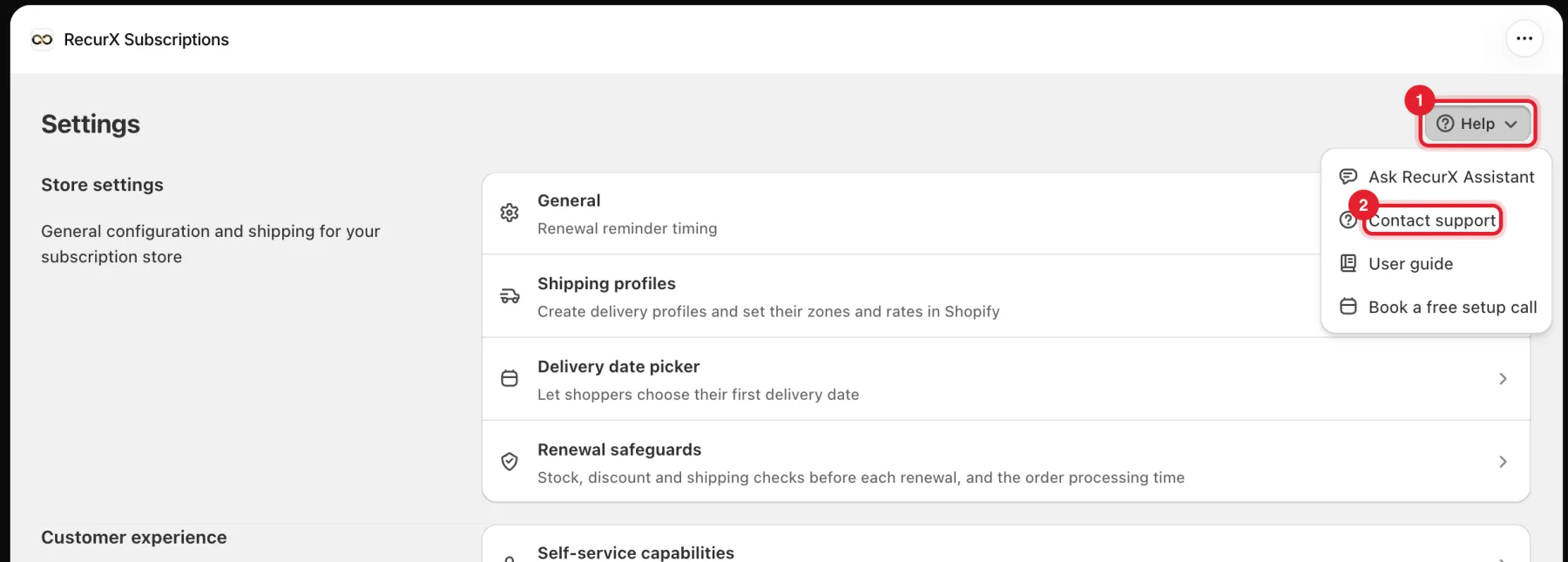
Tip: For a quick how-to question, Ask RecurX Assistant in the same menu answers right away.
Step 2: Start a conversation
The support chat opens on the right. Click Start Conversation. If the team is away, leave your message anyway, and we reply as soon as we're back. The chat also lists popular help articles.
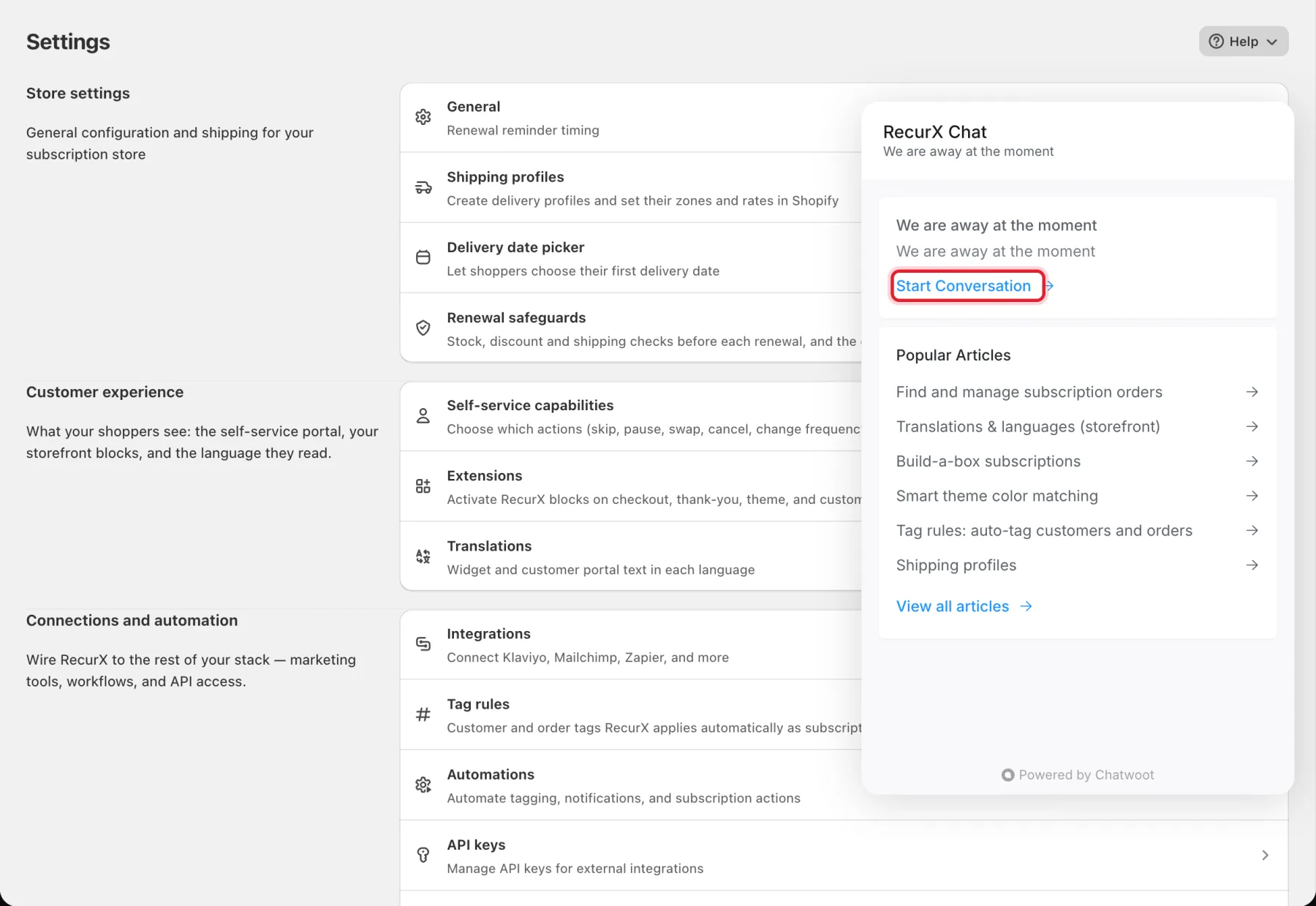
Step 3: Describe the problem and attach a screenshot
- In Type your message, write:
- What you clicked, step by step. For example: Growth → Volume & bundles → Create bundle → Save.
- What you expected to happen.
- What happened instead, with any error message copied exactly.
- Which page you were on, and the product, plan or subscriber it was about (an order number or the customer's name is enough).
- Click the paperclip to attach a screenshot of the problem.
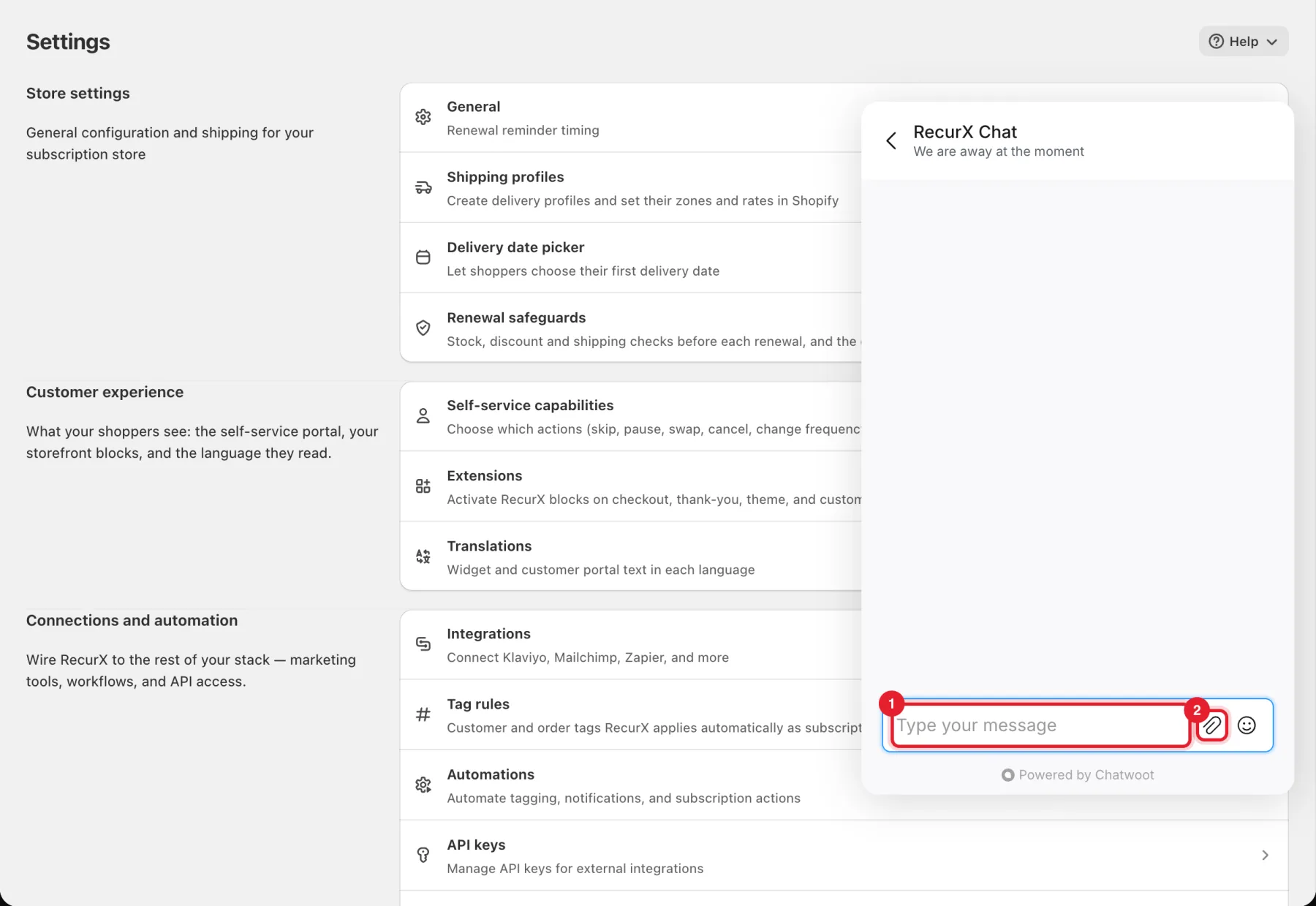
Then send your message.
The RecurX Assistant answers first, using these guides. If your message sounds like a bug, it shows a Report a bug button under its answer. Tap it and the assistant asks for anything still missing: the page, the steps, what you expected, and a screenshot. When it has them, it logs the report, gives you a report number, and a teammate picks it up in the same chat. Tap Talk to a human at any time to skip the assistant.
Important: RecurX support will never ask for your passwords, card numbers, API keys or access tokens. Don't put them in a message or a screenshot, and crop them out if they're on screen.
Good to know
- If the chat can't load (for example, a browser extension blocks it), RecurX shows a Contact support window with our support email address and a link to the help center instead.
- Storefront problems (the widget, the cart or the customer portal): tell us the product page link and whether you're on a phone or a computer.
- Before you write, the troubleshooting guides cover the most common issues: Widget not showing, Subscription not created at checkout and Failed payment retries.