
RecurX adds subscriptions to your Shopify store. You create subscription plans for your products, customers pick them on the product page, and Shopify bills each renewal through its own subscription system. RecurX runs the rest: the widget on your storefront, the customer portal, failed-payment recovery, cancellation offers, growth tools, messages and reports.
RecurX never takes over your products, inventory, taxes or shipping. Plans are published to Shopify as selling plans on your existing products, and every renewal is a normal Shopify order. RecurX doesn't charge transaction fees on any plan.
Where RecurX lives in your admin
Open Apps → RecurX Subscriptions in your Shopify admin. The sidebar shows the RecurX sections under the app name: Subscriptions, Growth, Retention, Campaigns, Signal Analytics and App settings. Clicking the app name opens Home.
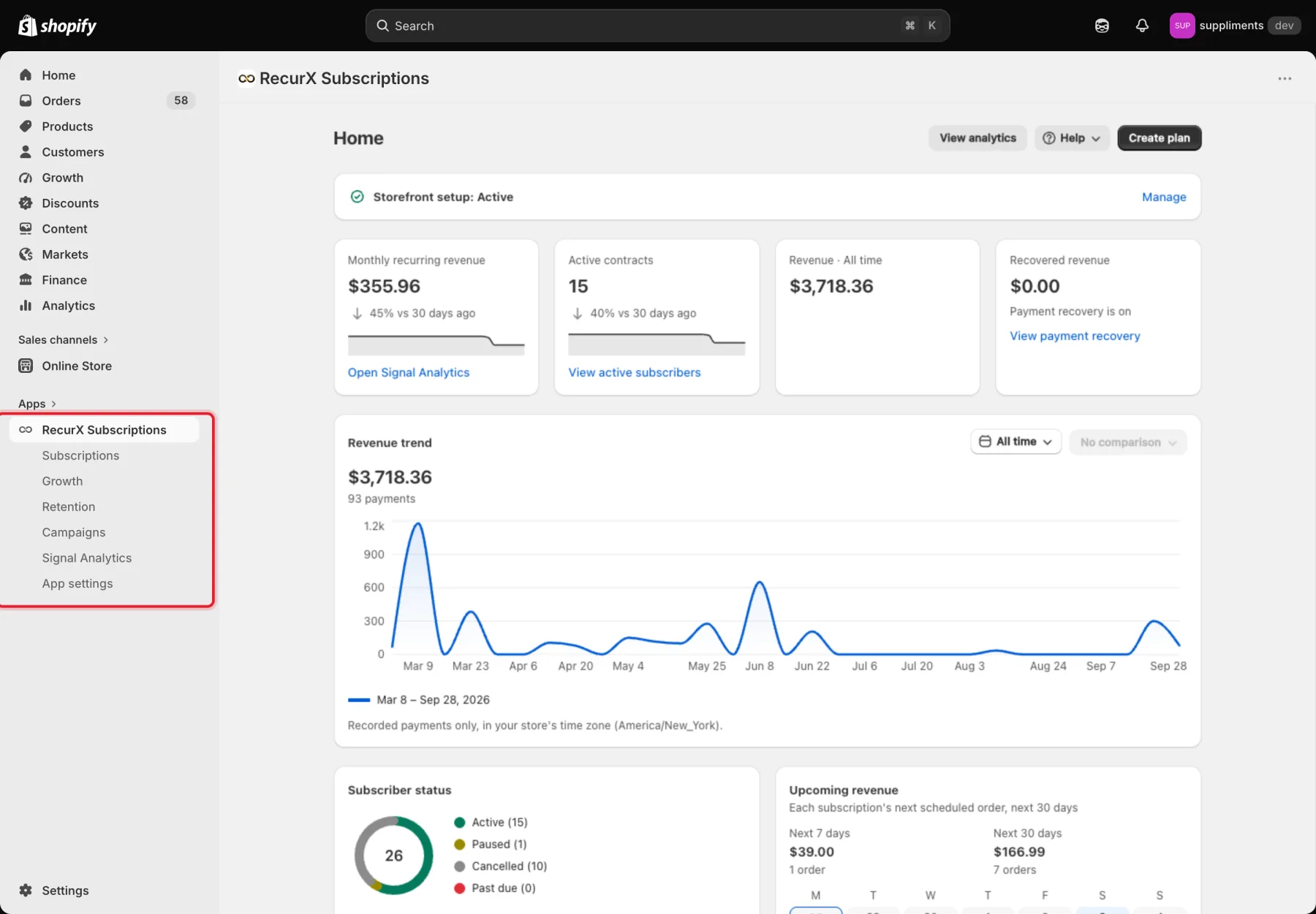
Tip: The first time you open RecurX, the Set up RecurX guide opens instead of Home. It walks you through your first plan, the storefront widget and your RecurX plan. See Welcome tour.
Home
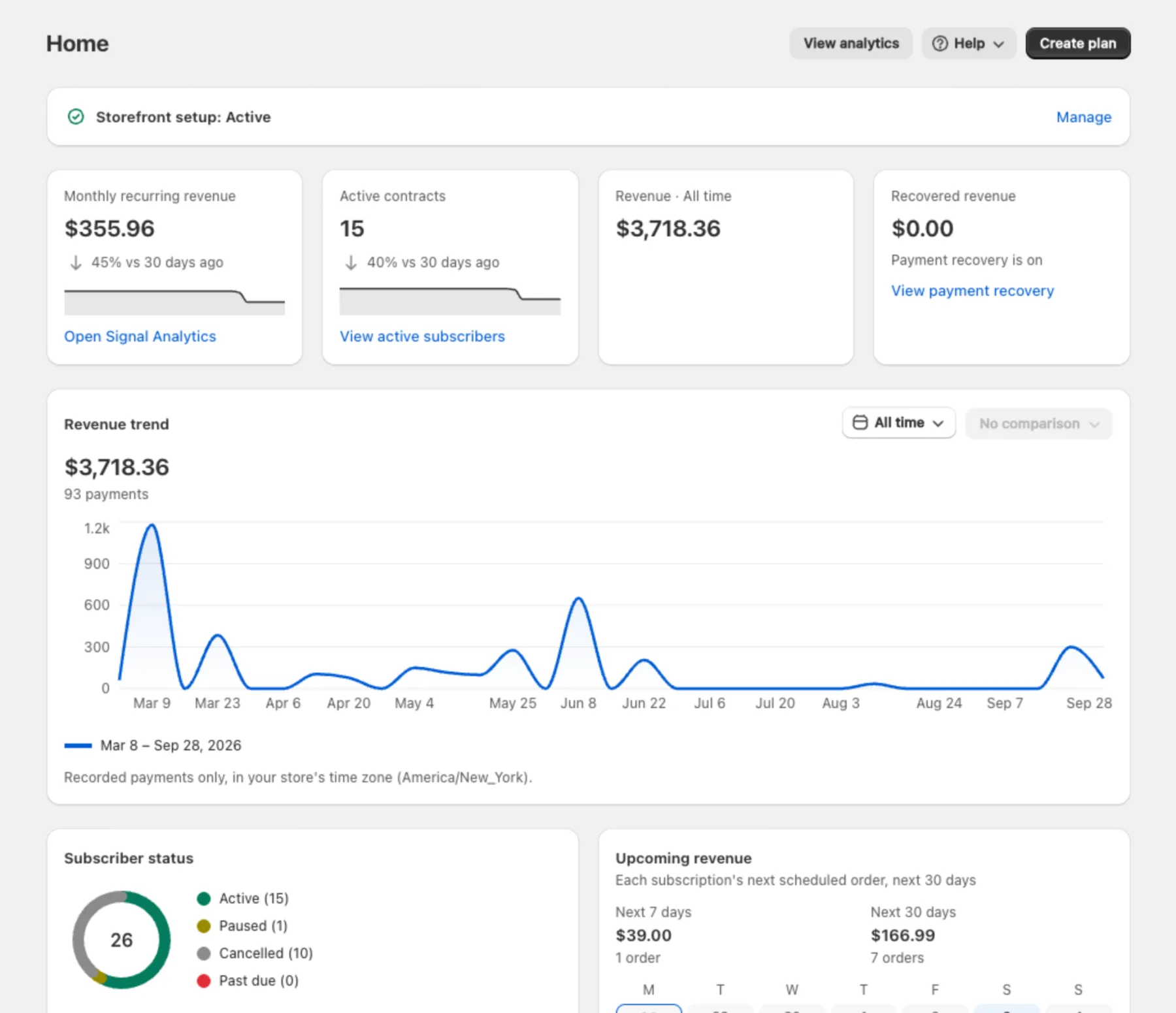
Home is your daily overview:
- Storefront setup — whether the RecurX widget and blocks are live on your store. Click Manage to see each one (see Onboarding checklist).
- Four key numbers: Monthly recurring revenue, Active contracts, revenue for the selected period and Recovered revenue.
- Revenue trend, Subscriber status, Recent activity and Upcoming revenue (the next scheduled orders).
- Create plan and View analytics at the top of the page.
Subscriptions
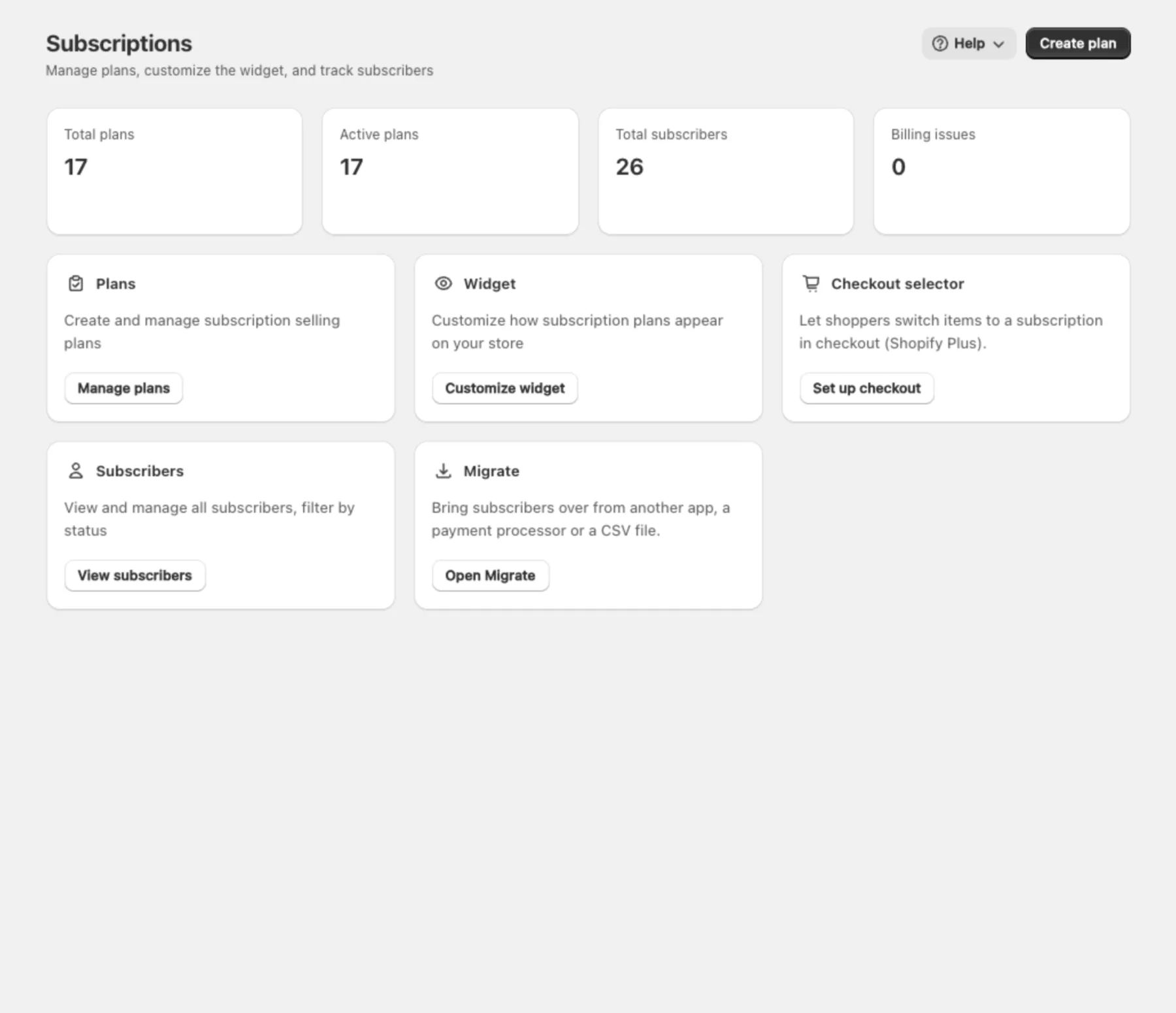
Everything about the plans you sell and the people who subscribe:
- Plans — create and manage subscription plans. See Create a subscription plan.
- Widget — how the plans look on your product pages. See Install and customize the subscription widget.
- Checkout selector — lets shoppers switch items to a subscription in checkout (Shopify Plus).
- Subscribers — every subscription, filtered by status. See Manage subscribers.
- Migrate — bring subscribers over from another app, a payment processor or a CSV file. See Migrate from another app.
Growth
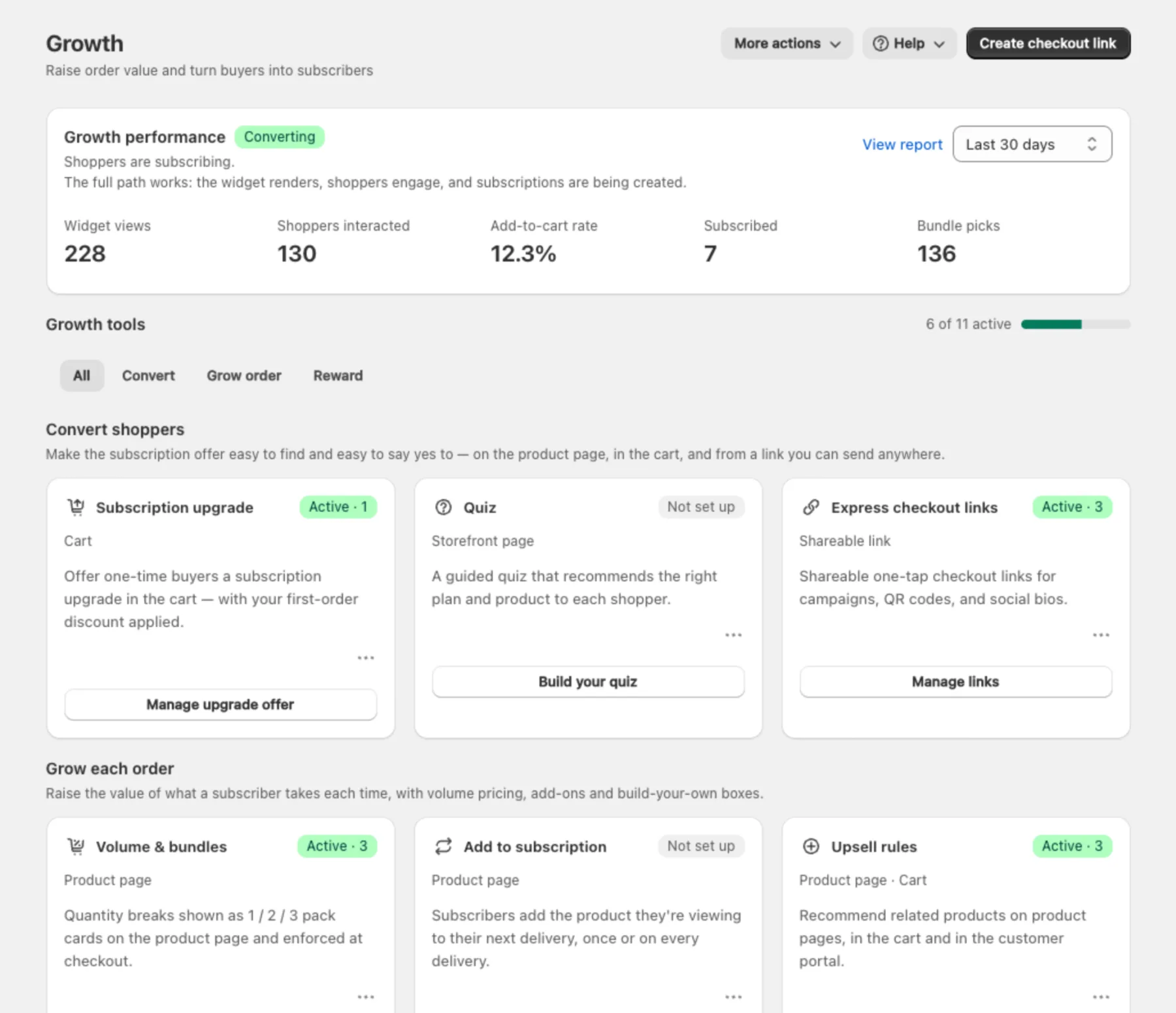
Tools that turn one-time buyers into subscribers and raise order value. Growth performance at the top shows widget views, shopper interactions and new subscriptions. Below it, Growth tools are grouped into Convert (subscription upgrade in the cart, quiz, express checkout links), Grow order (volume and bundles, add to subscription, upsell rules, build-a-box) and Reward (milestone rewards, gifts and groups, member pricing, page gate). Each card shows whether the tool is active. See Growth tools overview.
Retention
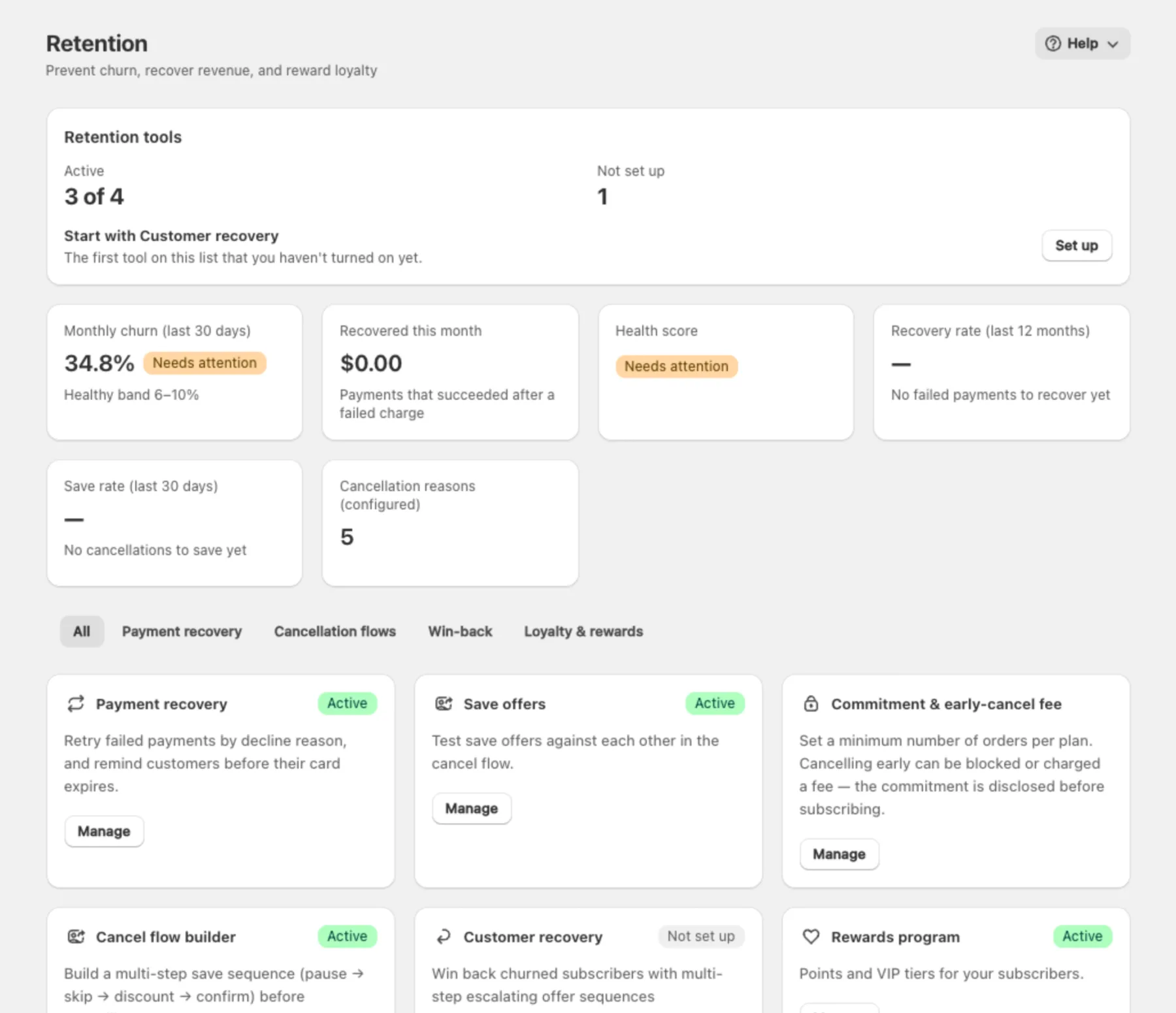
Keeping subscribers once they've signed up: Payment recovery (Rescue Sequences) for failed renewals, Save offers and the Cancel flow builder (Revenue Shield), Commitment & early-cancel fee, Customer recovery (win-back), the Rewards program and the Customer portal. The top of the page shows churn, recovered revenue and your save rate. See Retention overview.
Campaigns
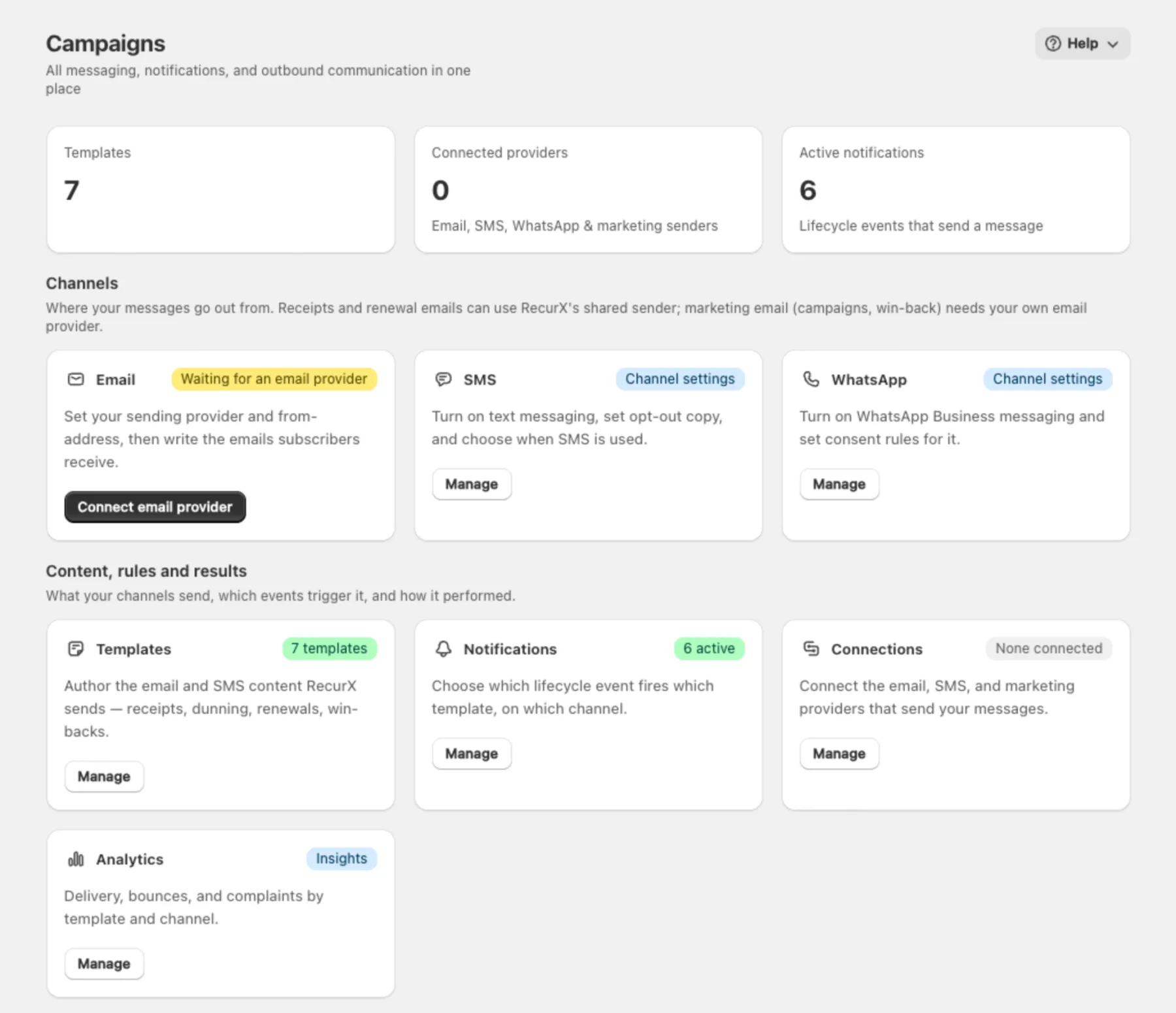
All messages RecurX sends: the Email, SMS and WhatsApp channels, Templates, Notifications (which event sends which message), Connections to your email and SMS providers, and delivery Analytics. See Campaigns hub.
Signal Analytics
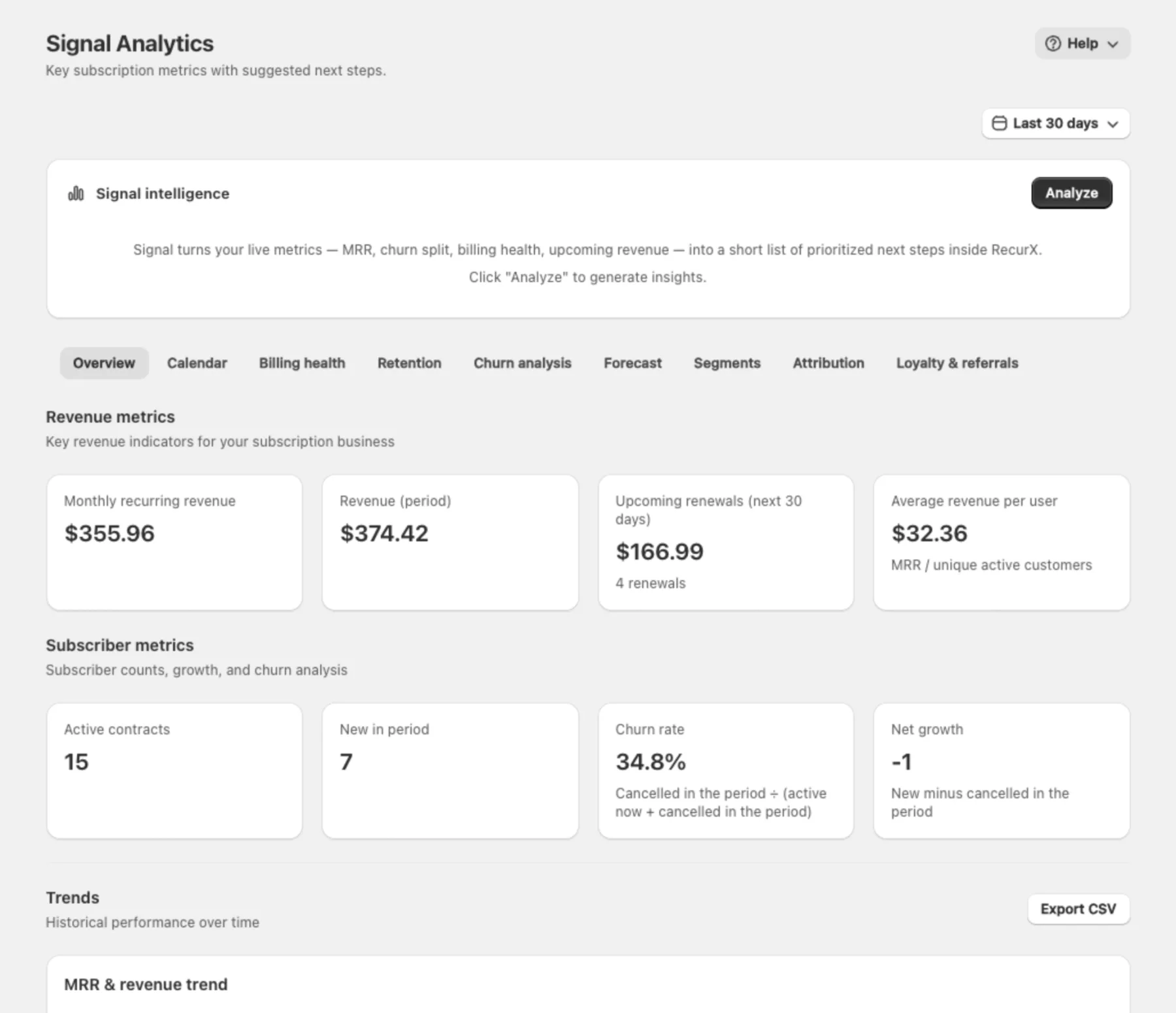
Your subscription reports: MRR, revenue, upcoming renewals, churn and growth, with tabs for Calendar, Billing health, Retention, Churn analysis, Forecast, Segments, Attribution and Loyalty & referrals. Click Analyze under Signal intelligence to get a short list of suggested next steps from your live numbers. See Subscription analytics.
App settings
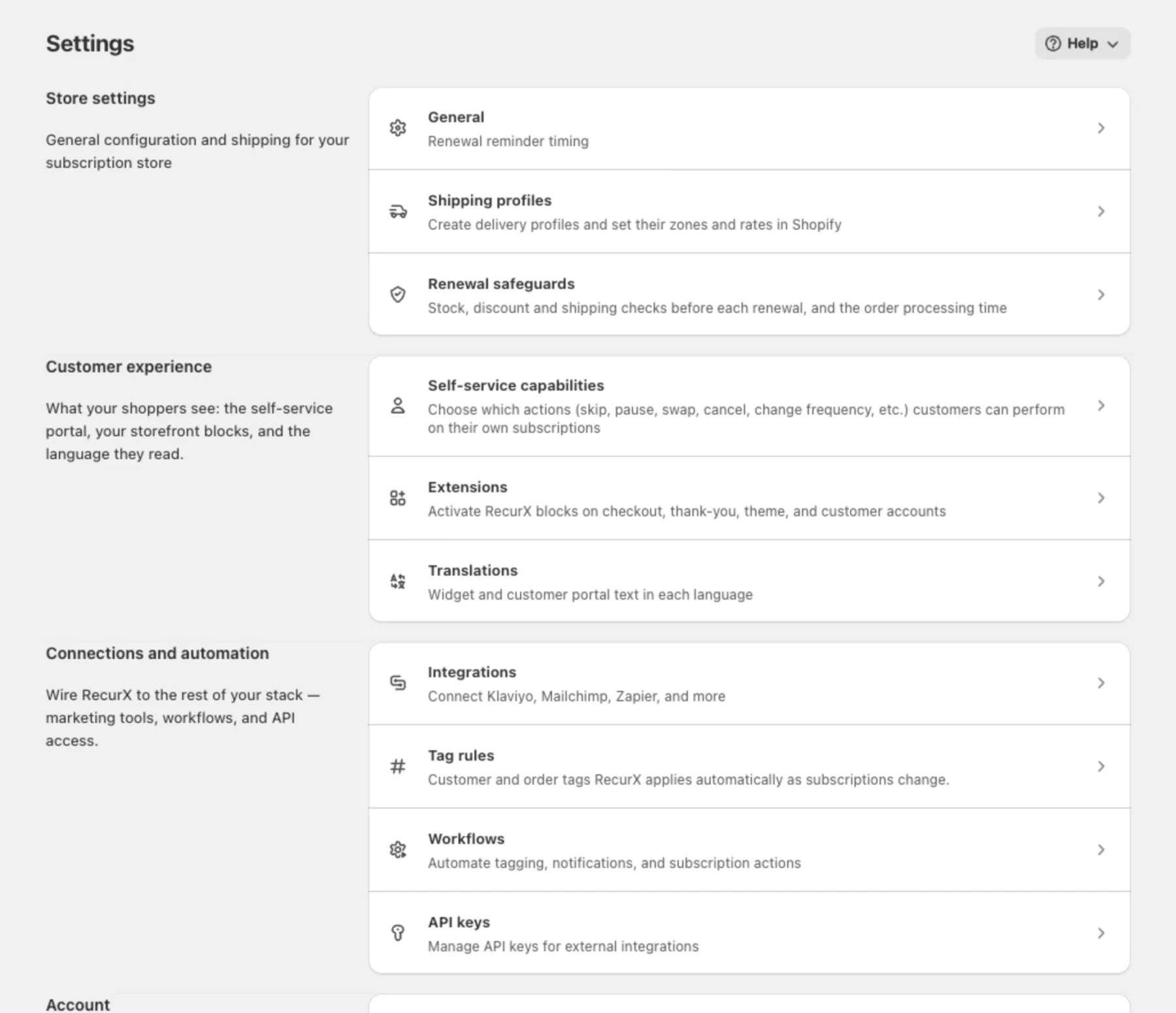
Store-wide RecurX settings, grouped as Store settings (General, Shipping profiles, Renewal safeguards), Customer experience (Self-service capabilities, Extensions, Translations), Connections and automation (Integrations, Tag rules, Workflows, API keys) and Account (Billing & plan, Setup guide, Data export).
RecurX plans
RecurX has two plans, both with a 14-day free trial for stores that haven't used one: Basic ($29/month) and Pro ($49/month). Pro adds email campaigns and custom email templates (Whisper Campaigns), integrations such as Klaviyo, Mailchimp and Omnisend (Forge Integrations) and portal magic links for subscribers (Ghost Mode). See RecurX billing & plan management.
Where to start
| If you want to… | Read |
|---|---|
| Sell your first subscription | Quick start: launch your first subscription |
| Follow the guided setup | Welcome tour |
| Create a plan | Create a subscription plan |
| Recover failed payments | Payment recovery |
| Reduce cancellations | Cancel flow A/B testing |