
The RecurX Assistant can answer questions and propose changes to your RecurX setup. Assistant permissions decides which of those changes it may apply straight away and which wait for your approval. It takes about 1 minute to set.
Who it's for: anyone on your team who uses the assistant. The setting applies to the whole store. It's available on every plan.
Step 1: Open Assistant permissions
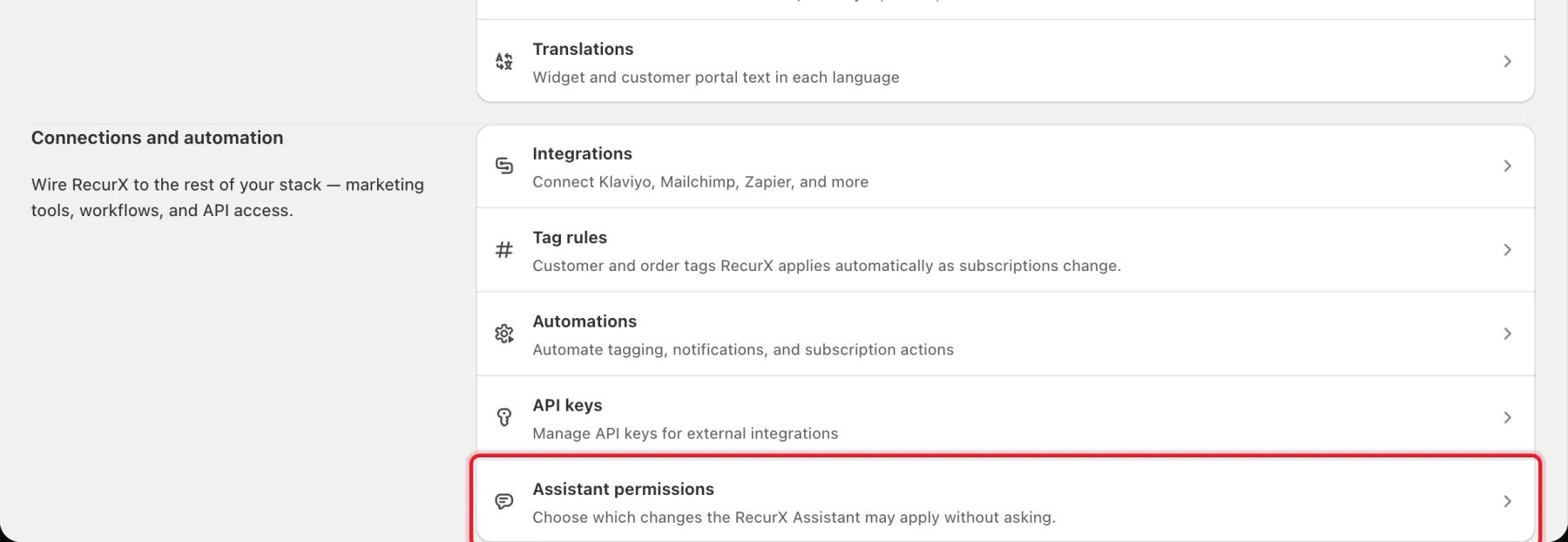
- In your Shopify admin, open Apps → RecurX Subscriptions.
- Click App settings in the sidebar.
- Under Connections and automation, click Assistant permissions.
Step 2: Choose a permission mode
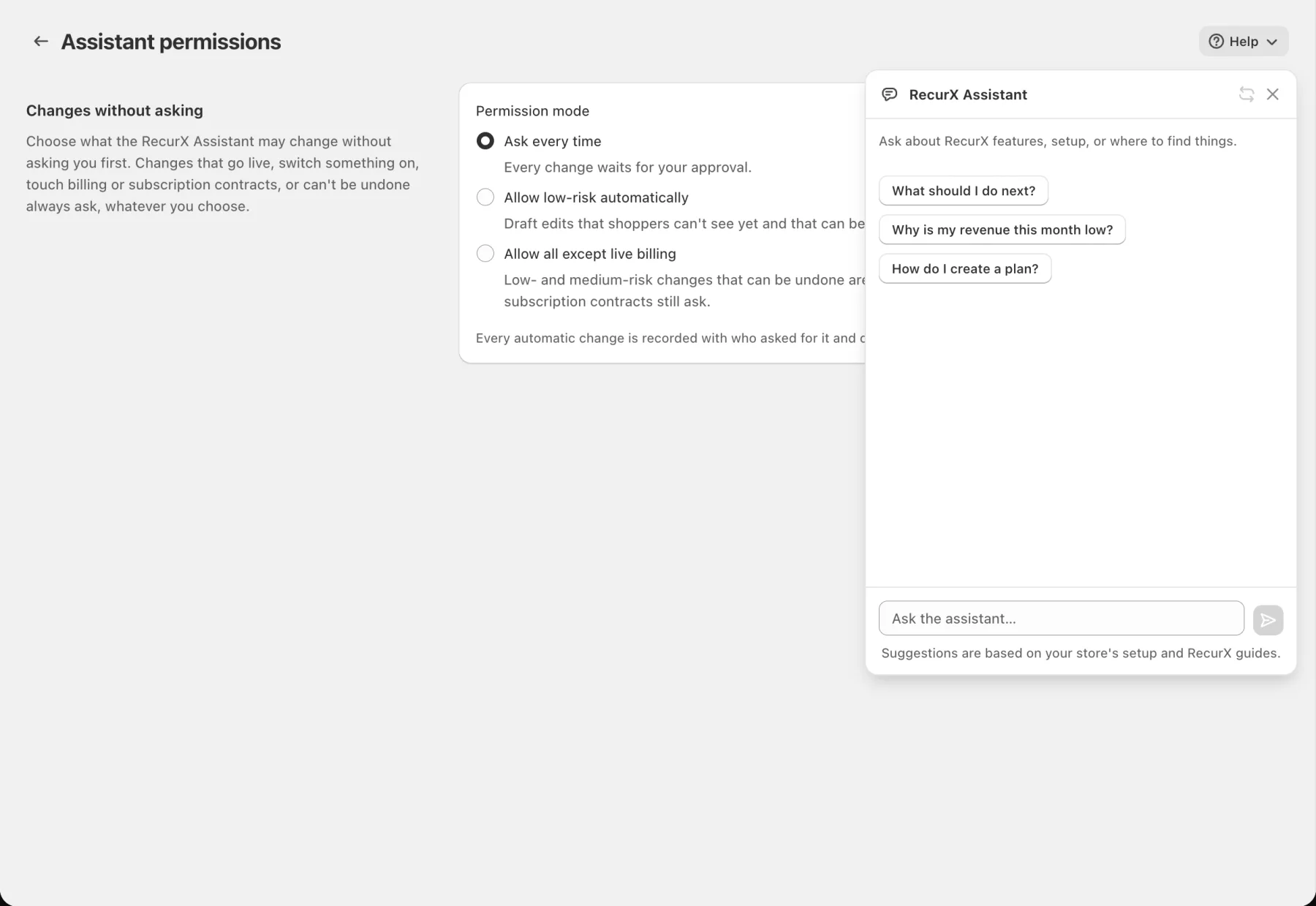
Under Permission mode, pick one:
- Ask every time: every change waits for your approval. This is the default.
- Allow low-risk automatically: draft edits that shoppers can't see yet and that can be undone are applied right away. Everything else asks.
- Allow all except live billing: low- and medium-risk changes that can be undone are applied right away. High-risk changes, going live, billing and subscription contracts still ask.
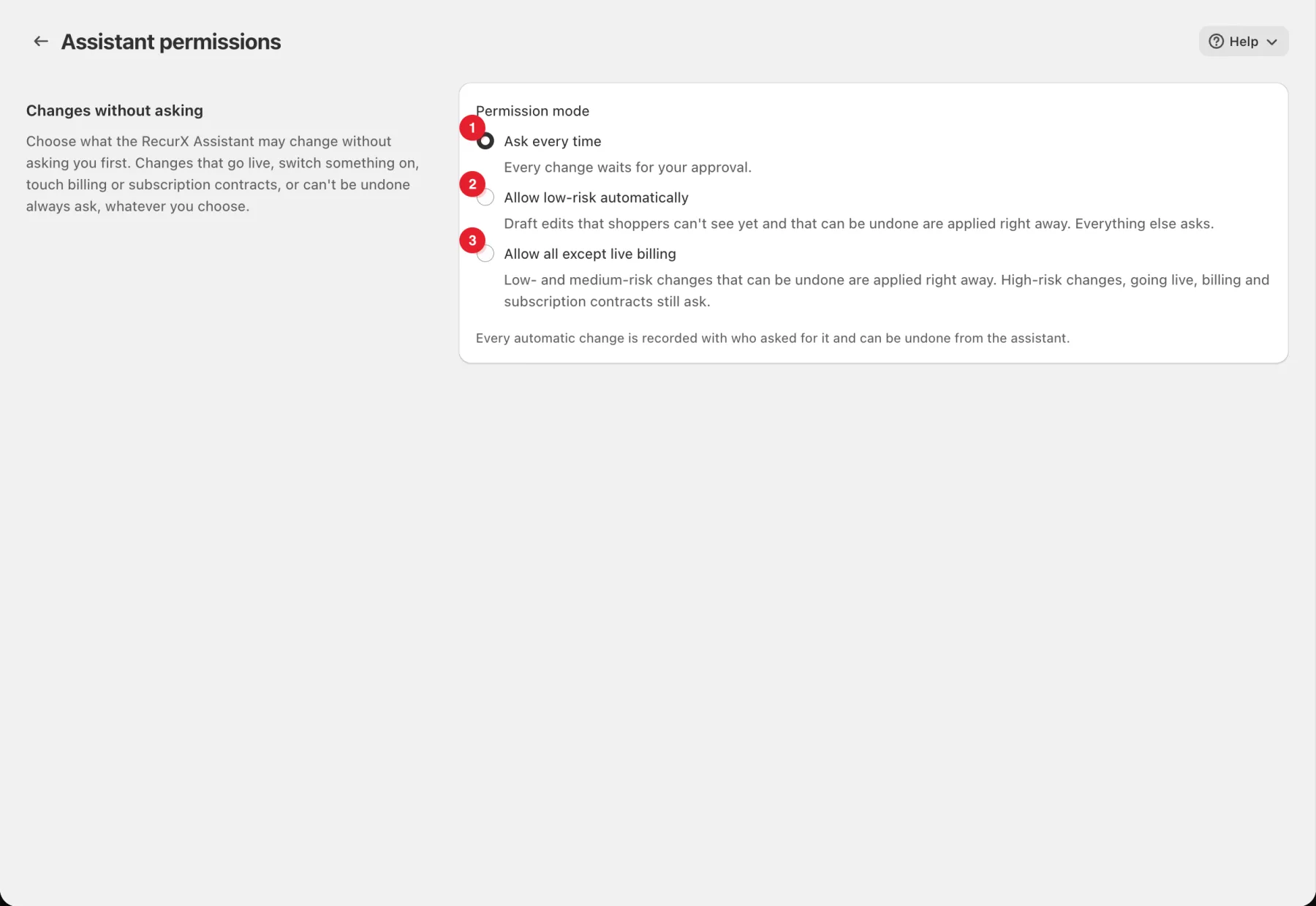
Important: Whatever you choose, changes that go live, switch something on, touch billing or subscription contracts, or can't be undone always ask first.
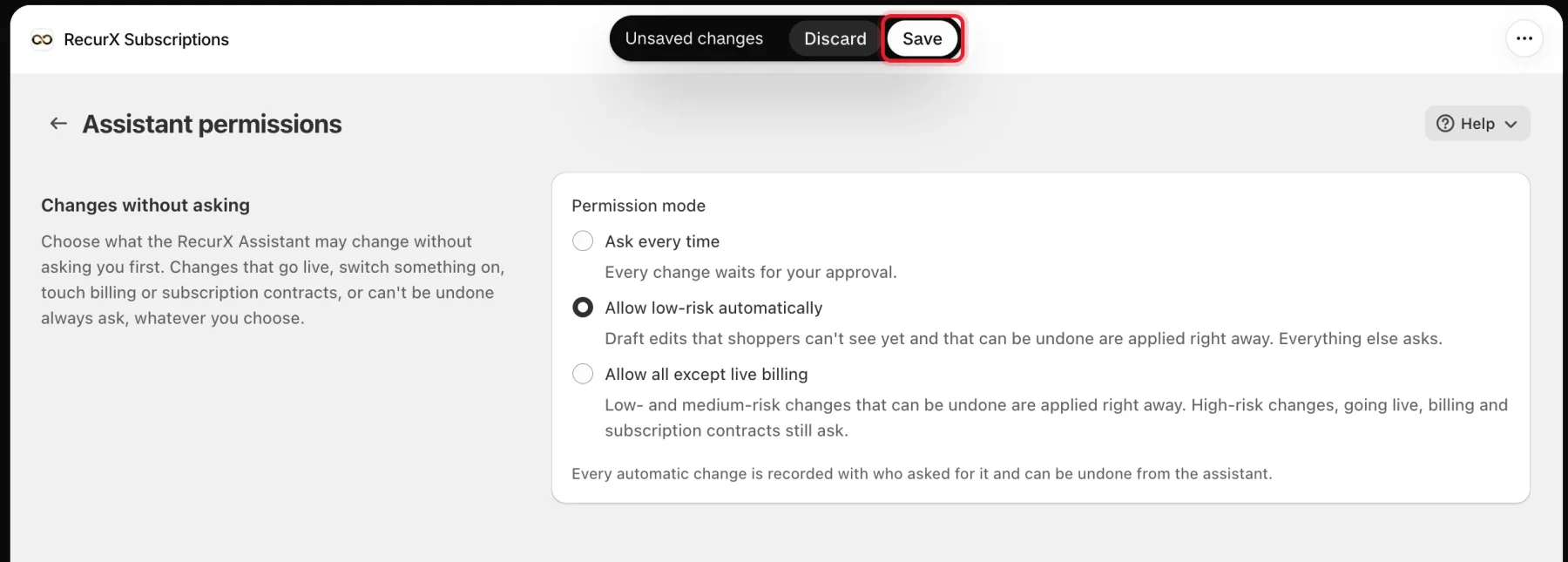
Step 3: Save
Click Save in the bar at the top of the page, or Discard to keep the current mode. RecurX shows Permissions saved.
Step 4: Use the assistant
- On any RecurX page, click Help in the top right.
- Click Ask RecurX Assistant.
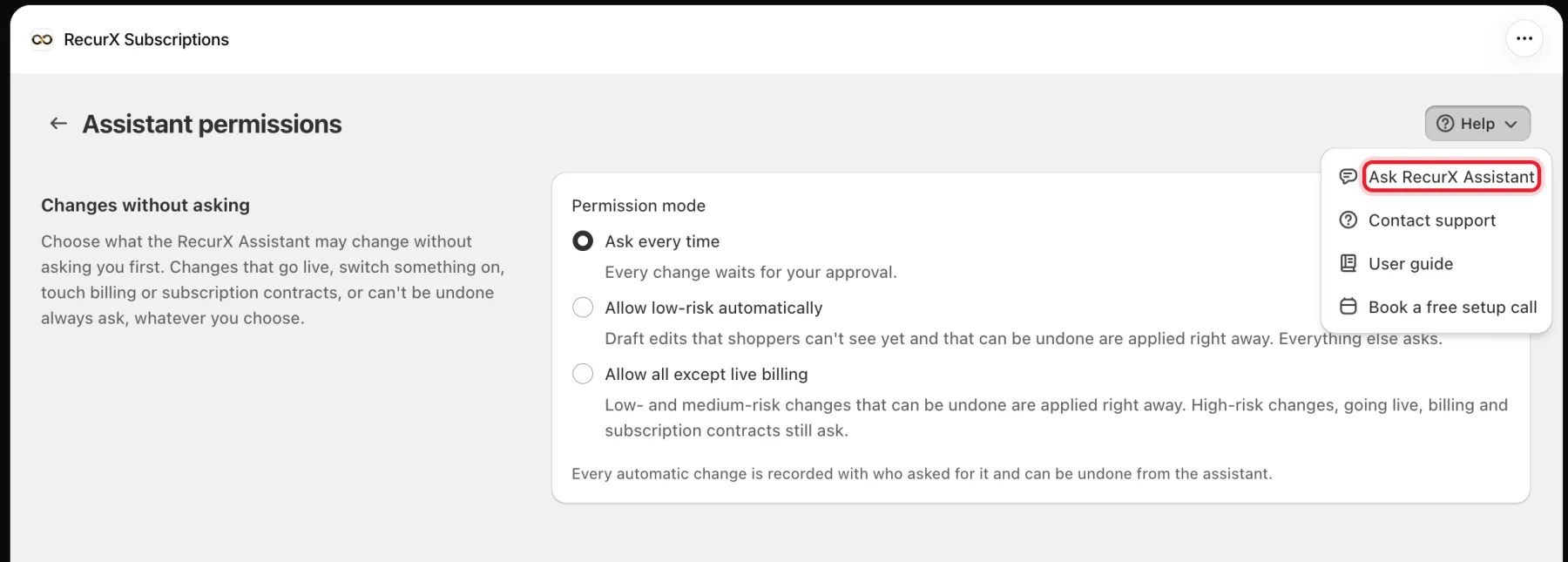
The assistant panel opens on the right. Type in Ask the assistant… or tap one of the suggested questions.
How approvals work
- When the assistant wants to change something that needs your approval, it shows Proposed changes. Each change is labelled Low risk, Medium risk or High risk, and says whether it Can be undone or Can't be undone, and whether it Goes live when applied.
- Click Approve all, tick some and click Approve selected, or click Reject.
- A change your permissions allowed without asking shows as Done automatically. It is recorded with who asked for it, and you can click Undo to restore what it changed.
Good to know
- If the Assistant only answers questions and never offers to make a change, change-making isn't switched on for your store yet. Ask support to turn it on.
- The setting only controls the assistant. It doesn't change what you or your staff can do in RecurX.
- To be asked about everything again, switch back to Ask every time and save.
- If the page shows The permission setting could not be saved. Try again., reload the page and save again.