
The discount customers get for subscribing is set on each delivery option of a subscription plan. RecurX publishes it to Shopify as part of the selling plan, so it shows on the product page and applies at checkout and on every renewal. This guide covers each kind of discount and where to set it.
Before you start: you need a subscription plan. To create one, see Create a subscription plan. Open an existing plan from Subscriptions → Plans to change its discount.
Note: Discount changes on a plan apply to new subscriptions. Existing subscribers keep the price they signed up with — to change one subscriber, use Step 7.
Step 1: Set a percentage or fixed discount
- Open Apps → RecurX Subscriptions → Subscriptions → Plans and click the plan (or Create plan).
- In Delivery options, keep Give a discount on this option ticked (1).
- Enter the Discount amount (2), for example
10. - Choose the Discount type (3): Percentage off (10 = 10% off the price) or Fixed amount off (10 = 10.00 in your store currency off each delivery).
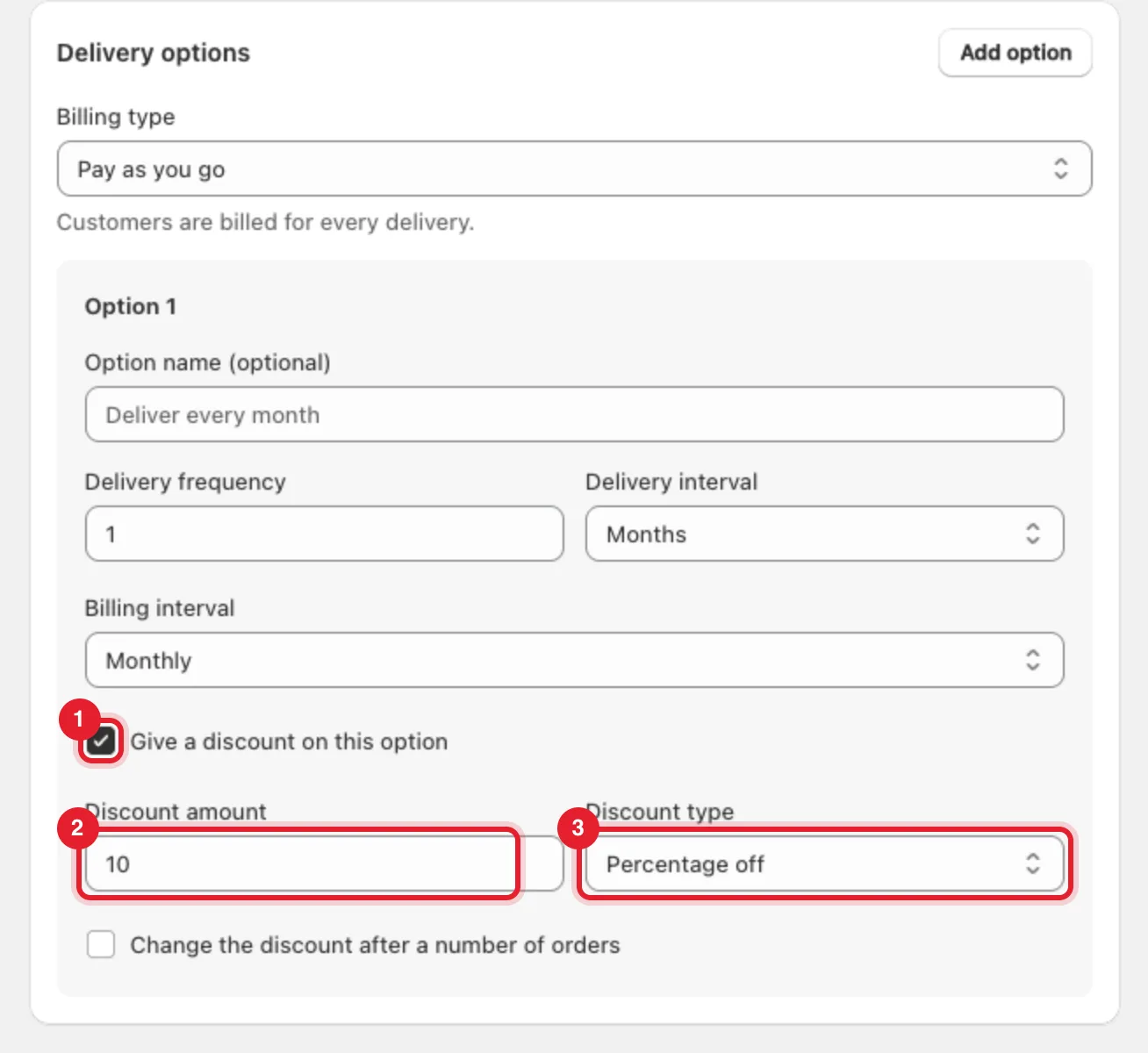
Tip: Each delivery option has its own discount. Click Add option to offer, for example, 10% off monthly delivery and 15% off every 2 weeks in the same plan.
Step 2: Change the discount after a number of orders (optional)
Use this to reward customers who stay — for example 10% off the first 3 orders, then 15% after that.
- Tick Change the discount after a number of orders.
- First orders (1) — how many orders get the first discount.
- Discount after those orders (2) — the discount from the next order on.
- Discount type after those orders (3) — Percentage off or Fixed amount off.
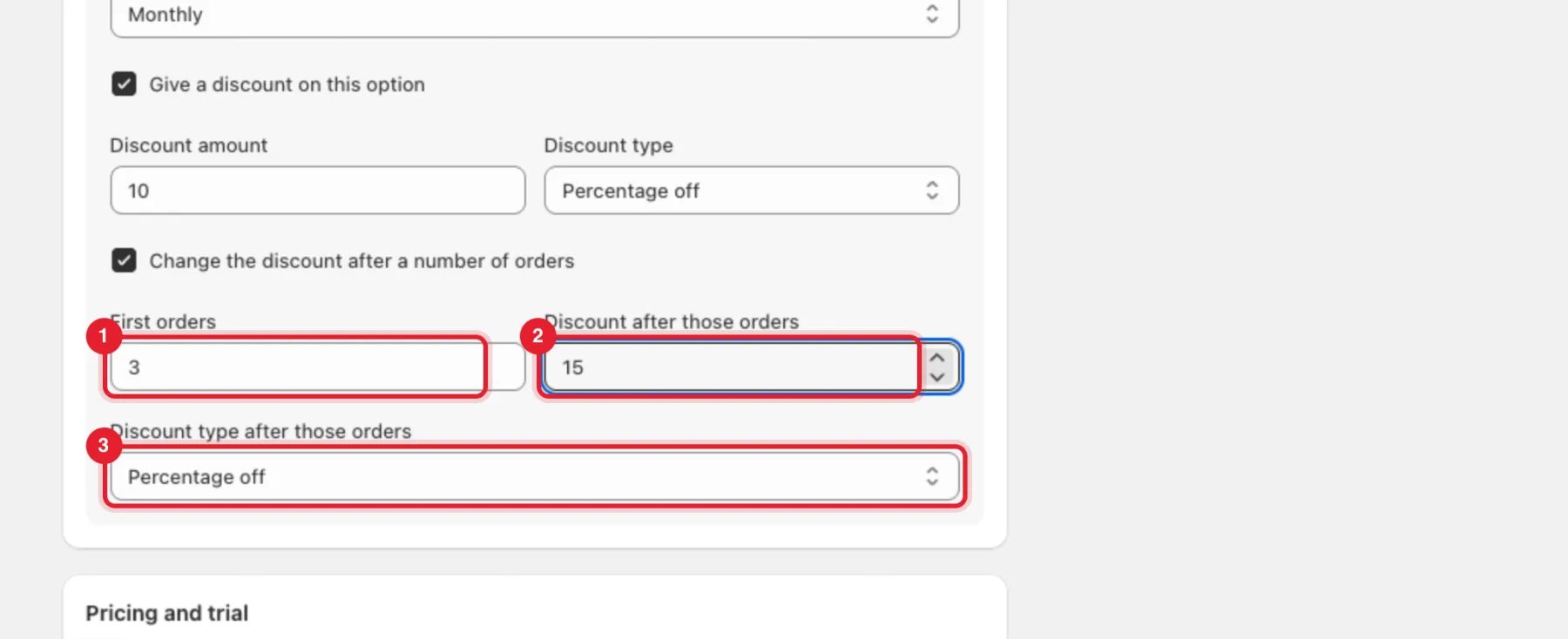
Note: The discount changes once. There is one first discount and one discount after it.
Step 3: Offer prepaid terms
Prepaid charges up front for several deliveries. Customers often get a bigger discount in return — set it in the same Discount amount field.
- Set Billing type (1) to Prepaid.
- Enter Deliveries per payment (2). With monthly delivery,
3is one charge for 3 months. - Choose what happens After the prepaid term: Renew as prepaid (Shopify default), or Continue pay-per-delivery on a regular plan. With the second choice, customers get an email 7 days before the term ends and then pay the regular plan's subscribe price for each delivery.
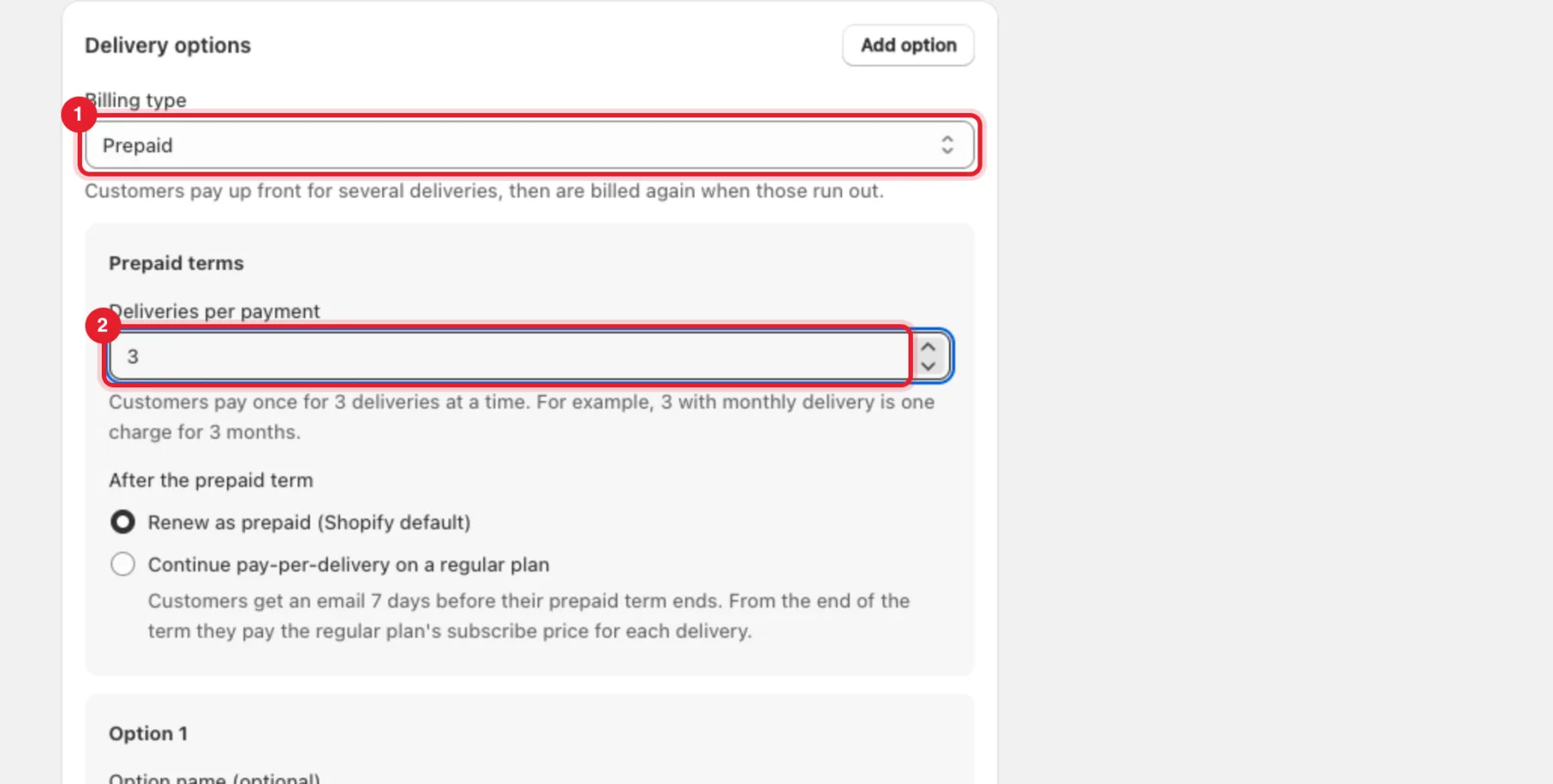
Note: To continue on a regular plan, that plan must be an active pay-per-delivery plan that includes all this plan's products. Create it first.
Step 4: Make the first order free (optional)
In Pricing and trial, enter a number above 0 in Free first order (trial days). The first order is free and the next order is charged one delivery interval later. 0 means no free first order.
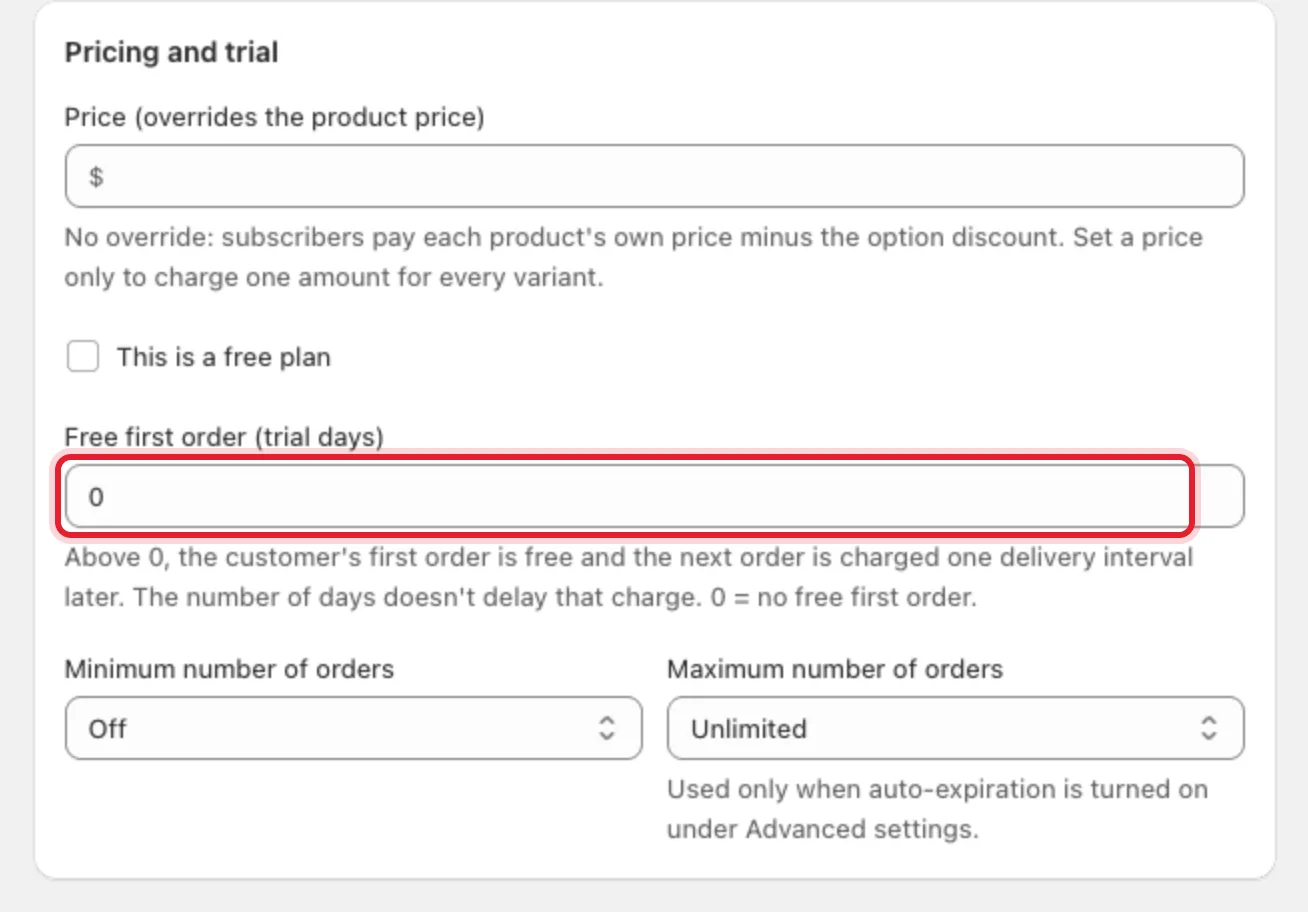
Tip: Leave Price (overrides the product price) empty so each product is charged its own price minus the discount. A price here charges every variant in the plan the same amount.
Step 5: Add volume pricing (optional)
Volume pricing gives a better price for buying several units at once.
- In Advanced settings, click Volume pricing.
- Tick Offer volume discounts on this plan. RecurX adds two tiers to start with (3 units and 6 units).
- Set each tier's Quantity and Discount, click Add a tier for more, or Remove to delete one.
Shoppers see a pack picker above the subscription options on this plan's products.
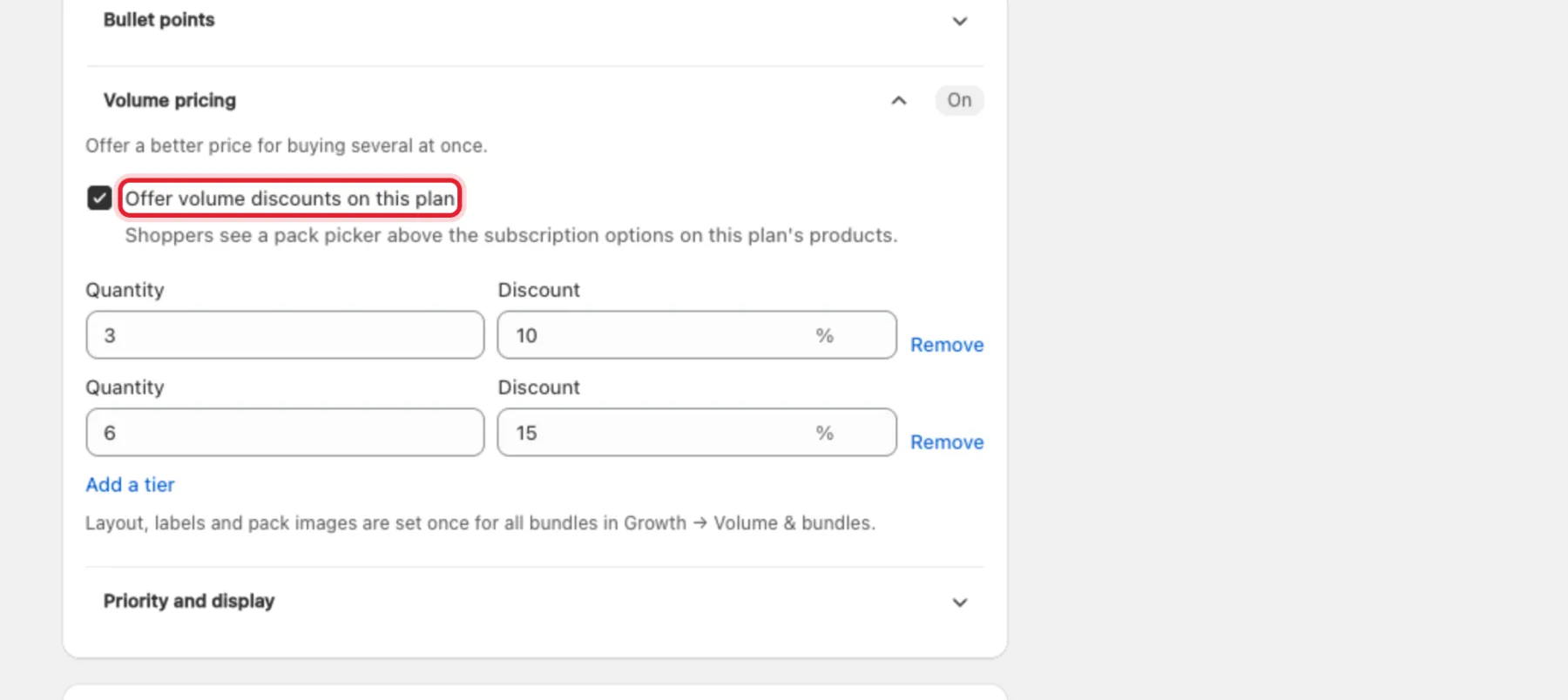
Tip: The pack picker's layout, labels and images are set once for all plans in Growth → Volume & bundles.
Step 6: Check the summary and save
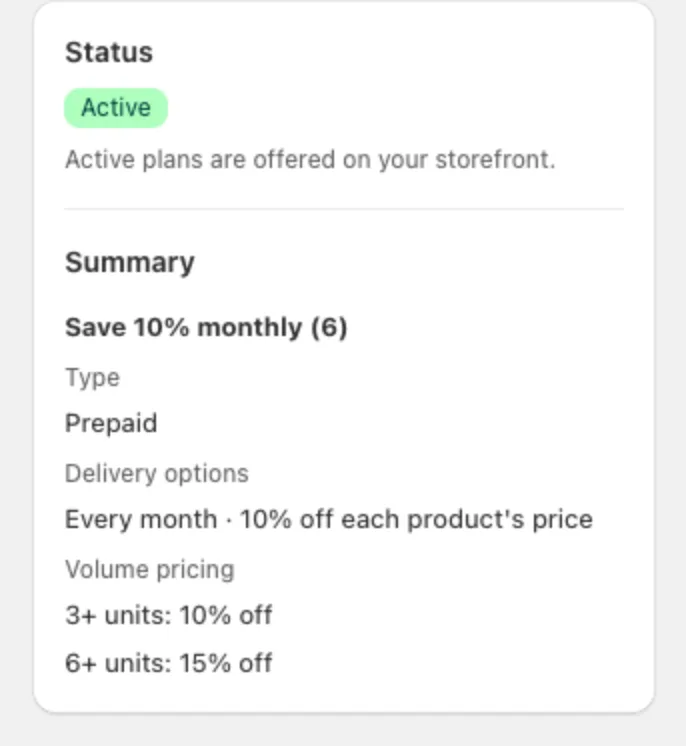
The Summary card on the right shows the result, for example Every month · 10% off each product's price and the volume tiers. Click Save in the bar at the top of the page when it looks right.
Step 7: Give one subscriber a discount
To discount one existing subscription without changing the plan:
- Go to Subscriptions → Subscribers and open the subscriber.
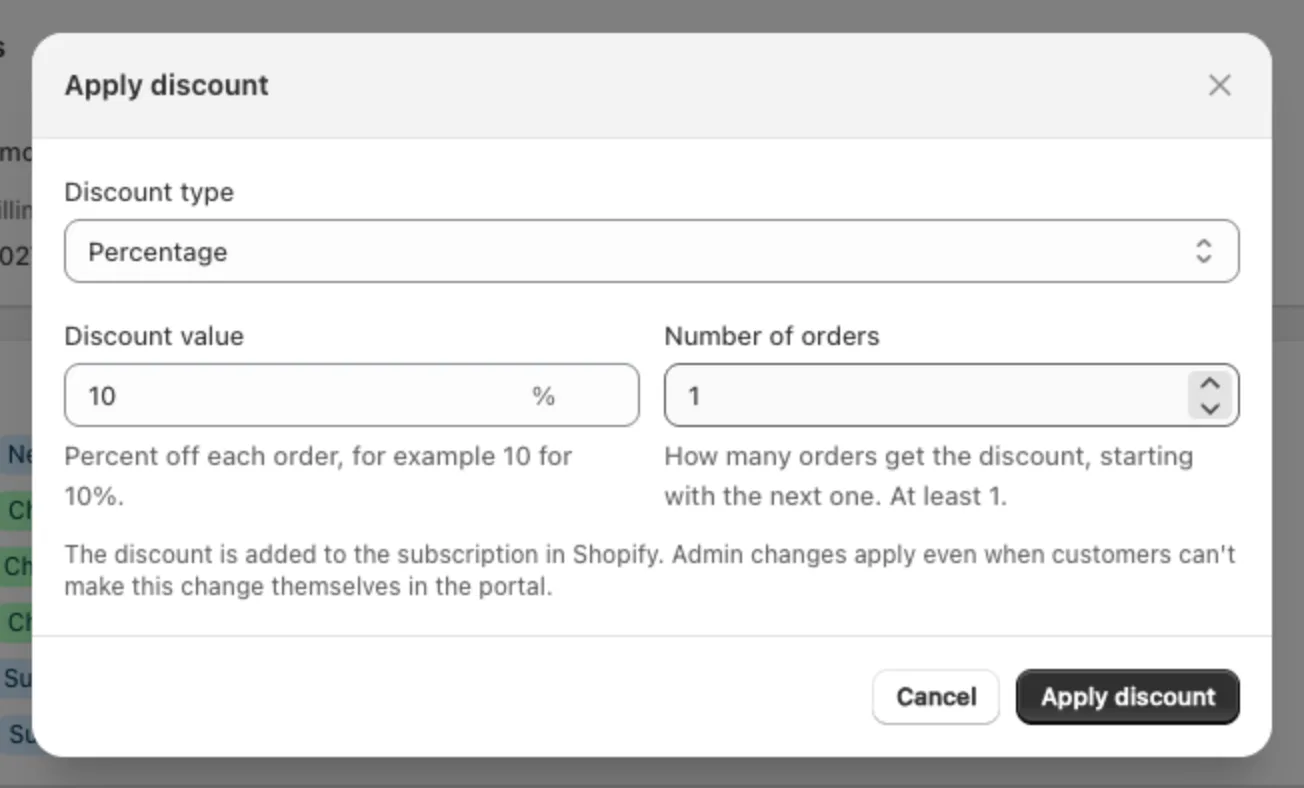
- Click Manage → Apply discount.
- Choose the Discount type (Percentage or Fixed amount), the Discount value and the Number of orders that get it, starting with the next one.
- Click Apply discount.
To change the subscriber's recurring price permanently, use Manage → Adjust price / discount instead. See Manage subscribers.
Other discounts in RecurX
- Membership plans have a Member discount, applied to every purchase while the membership is active. Set it when the Plan type is a membership — see Create a subscription plan.
- Build-a-box can take a percentage or fixed discount off the whole box — see Build-a-box subscriptions.
- Member pricing tags subscribers so you can give them a Shopify discount on other products — see Gated VIP pricing.
Troubleshooting
- "A 100% discount makes this plan free. Customers won't be charged." — lower the discount, or tick This is a free plan if that's intended.
- "This discount (…) is equal to or more than the plan price (…). Customers won't be charged." — a fixed discount is as large as the price. Lower it.
- A subscriber still pays the old discount. Plan changes apply to new subscriptions only. Change an existing subscriber from their page (Step 7).