
The Integrations page connects RecurX to the rest of your stack: the service that sends your email, marketing and SMS tools, Shopify Flow and Zapier, analytics, and your own endpoints. Each connector sends RecurX's subscription events (created, renewed, paused, cancelled, payment failed and more) to the other tool. Connecting one takes about 5 minutes once you have its API key.
Plans: the email sender, Twilio SMS, WhatsApp Business, Shopify Flow and outbound webhooks work on every plan. Klaviyo, Mailchimp, Omnisend, Postscript, Triple Whale, Google Analytics 4, Zapier, n8n and Gorgias are Forge Integrations and need the Pro plan ($49/month). So do the Premium integrations (Meta Conversions API, LoyaltyLion, Yotpo, Mechanic). See RecurX billing.
Step 1: Open Integrations
- In your Shopify admin, open Apps → RecurX Subscriptions.
- Click App settings in the sidebar.
- Under Connections and automation, click Integrations.
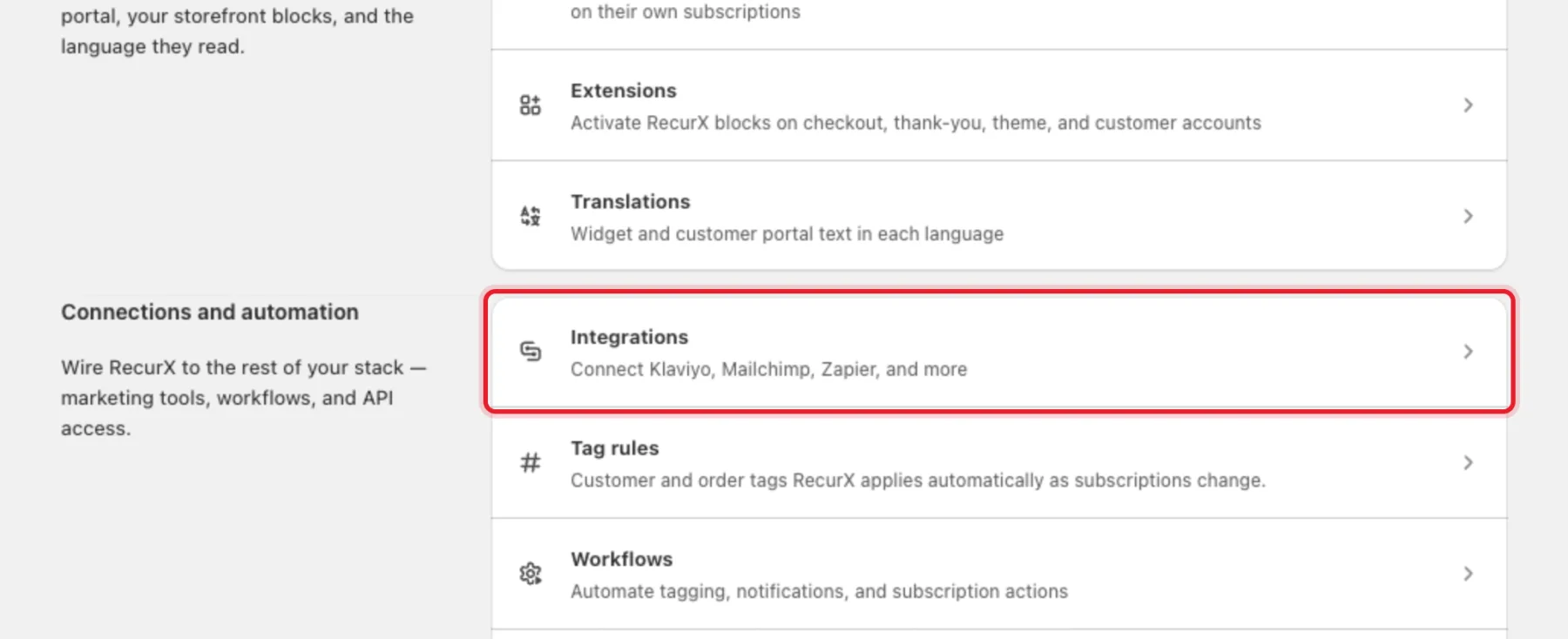
The integrations are grouped under Marketing and email, Communication, Automation, Analytics and Premium integrations. Each card shows Active or Inactive.
Step 2: Connect an integration
- Click Connect on the card, for example Klaviyo.
- Paste the credentials the card asks for. The help text under each field says where to find it in the other tool — for Klaviyo, the Klaviyo API key (Klaviyo → Settings → API keys) and the List ID.
- Click Test connection. RecurX checks the credentials without saving them and shows Credentials look good. Save to connect. For Zapier, n8n and Mechanic it sends a test event instead — check its history in that tool.
- Click Save and connect. The card turns Active.
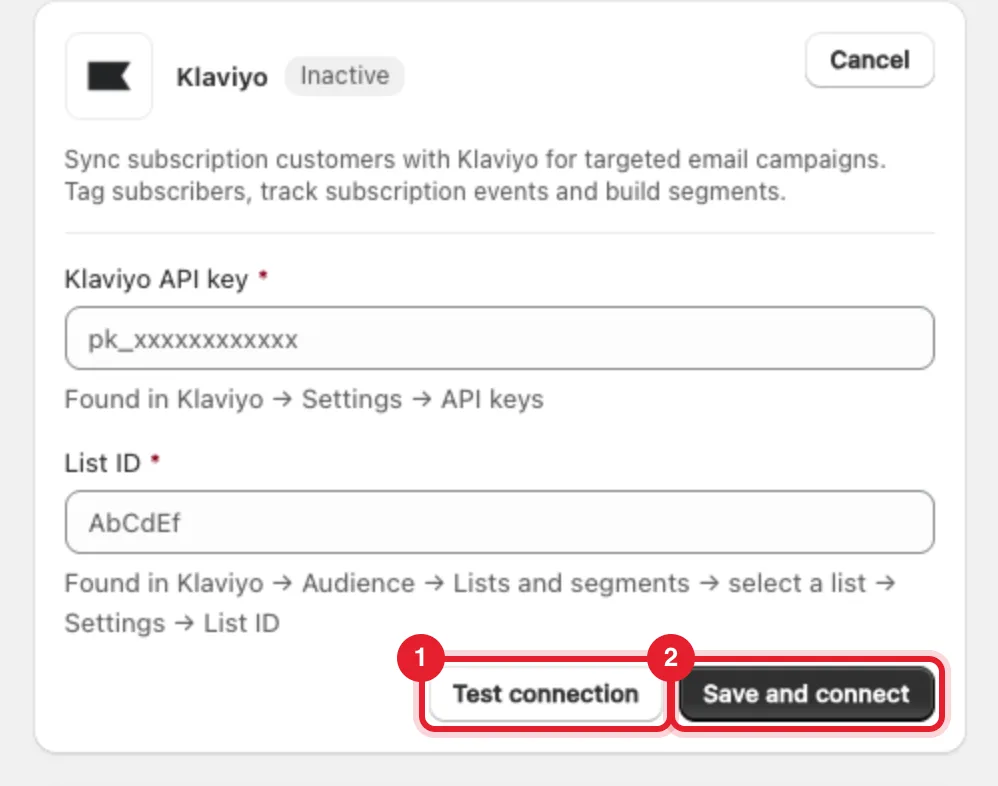
After connecting, the card shows when RecurX last checked the connection and any error it found. Disconnect stops all sending to that tool and deletes the saved credentials — it works on every plan.
Marketing and email
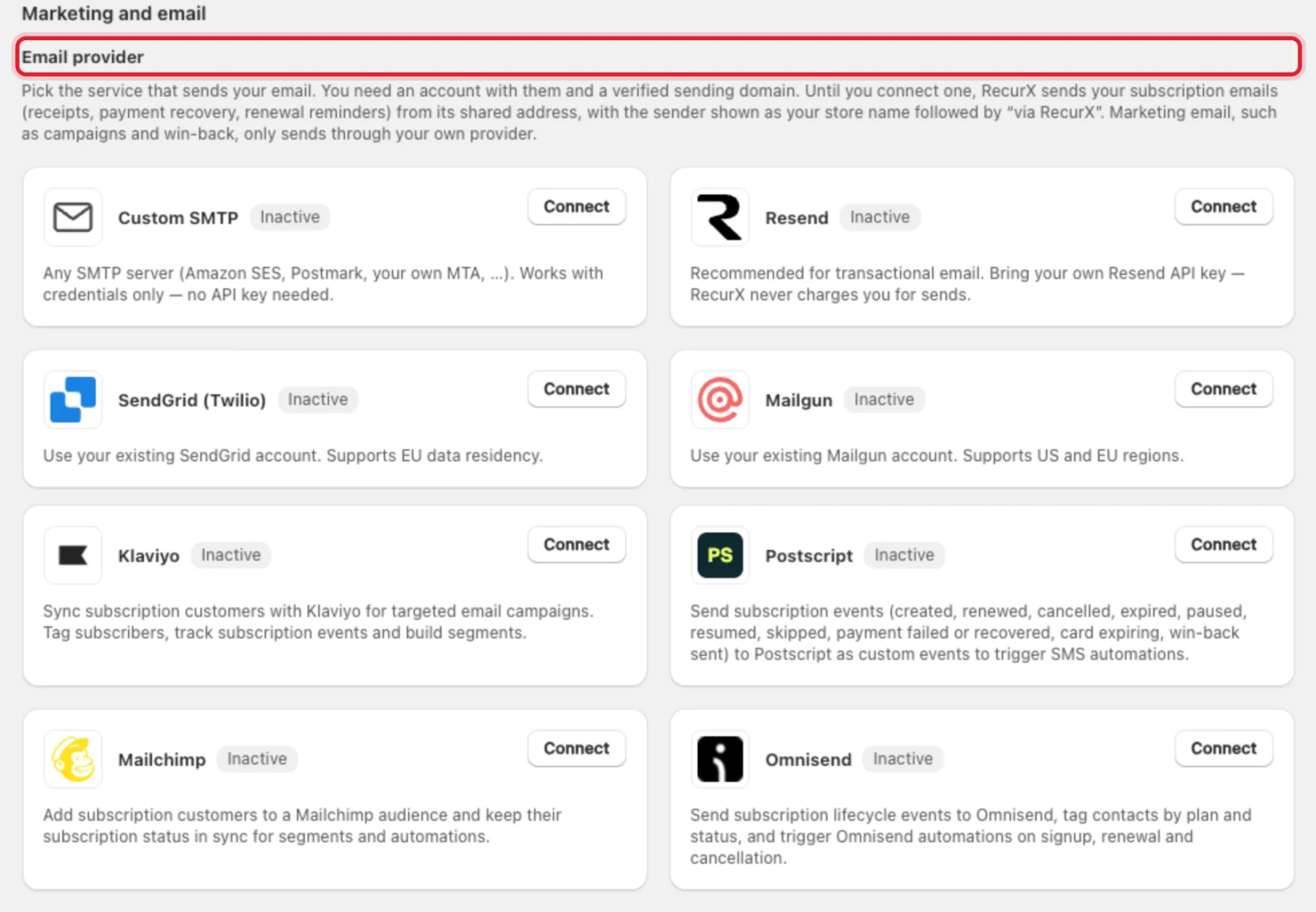
Email provider sets who sends your subscription emails. Until you connect one, RecurX sends receipts, payment recovery and renewal reminders from its shared address, shown as your store name followed by via RecurX. Marketing email, such as campaigns and win-back, only sends through your own provider. Pick Custom SMTP, Resend, SendGrid (Twilio) or Mailgun — see Connect your email provider.
| Integration | What it does |
|---|---|
| Klaviyo | Syncs subscription customers to a Klaviyo list, tags subscribers and tracks subscription events for segments and flows |
| Postscript | Sends subscription events to Postscript as custom events to trigger SMS automations |
| Mailchimp | Adds subscription customers to a Mailchimp audience and keeps their subscription status in sync |
| Omnisend | Sends lifecycle events to Omnisend, tags contacts by plan and status, and triggers automations on signup, renewal and cancellation |
Communication
| Integration | What it does |
|---|---|
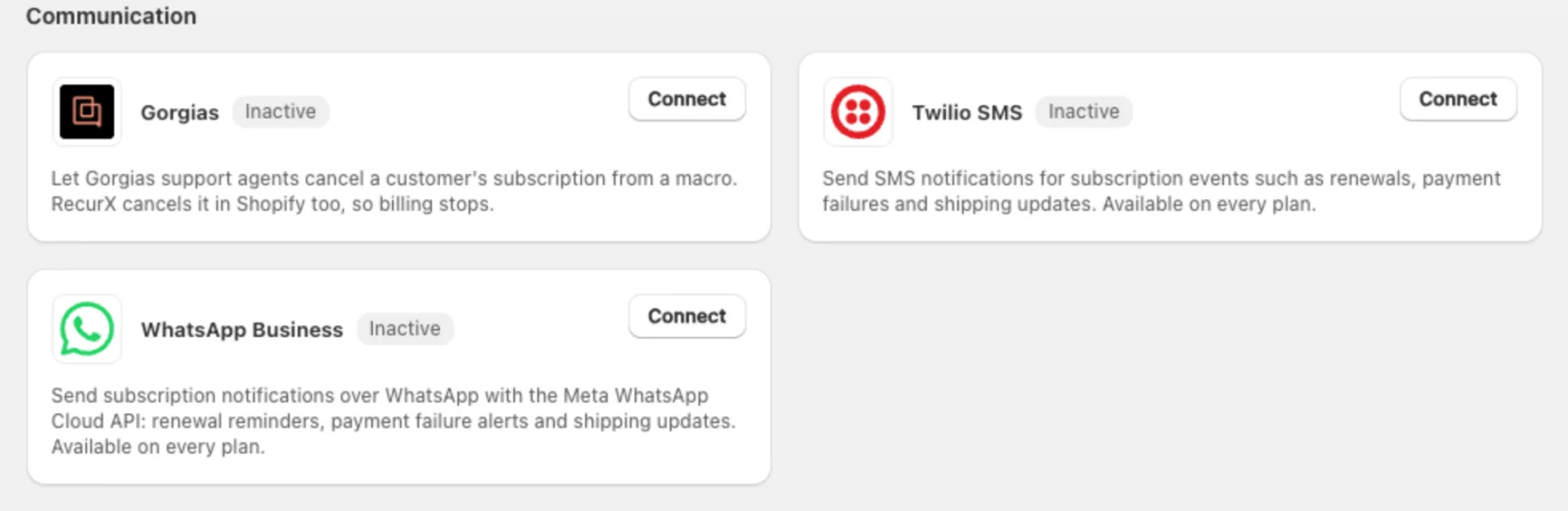
| Gorgias | Lets support agents cancel a customer's subscription from a Gorgias macro. RecurX cancels it in Shopify too, so billing stops. After connecting, open Gorgias macro HTTP hook on the card and copy the URL and header into an HTTP hook action |
| Twilio SMS | Sends SMS notifications for subscription events. Every plan |
| WhatsApp Business | Sends notifications over the Meta WhatsApp Cloud API. Every plan |
For message templates and which events send a text, see SMS & WhatsApp.
Automation
- Shopify Flow — nothing to connect. Click Open Shopify Flow and use RecurX's three triggers: Subscription contract created, Payment failed and Subscription cancelled. See Automations.
- Zapier and n8n — paste the webhook URL from your Zap or n8n workflow. Click Show events to see and choose the events RecurX sends.
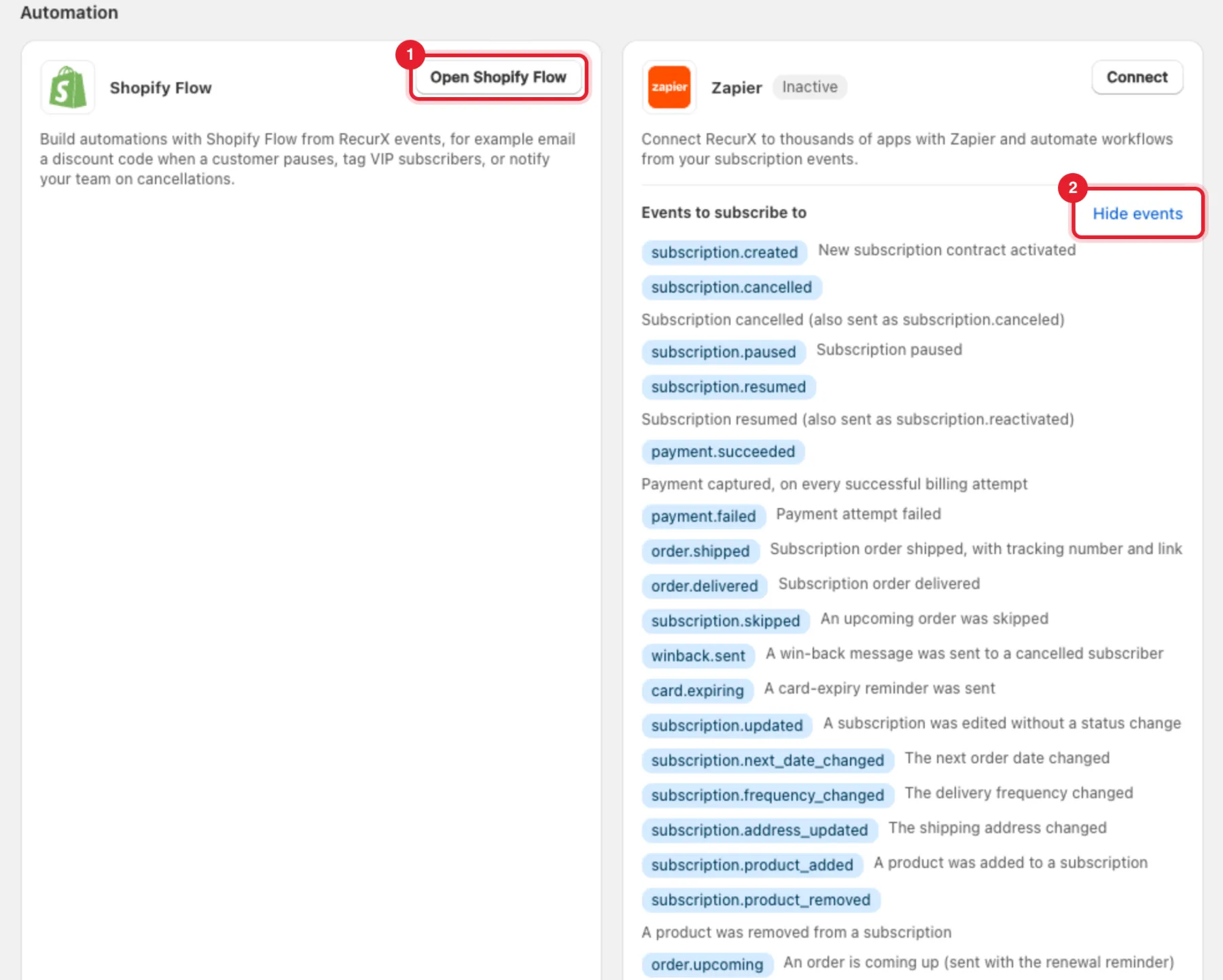
Note: The contract-change events (
subscription.updated,subscription.next_date_changed,subscription.frequency_changed,subscription.address_updated,subscription.product_added,subscription.product_removedandorder.upcoming) are sent on the Pro plan only.
Analytics
- Triple Whale — streams subscription lifecycle events into Triple Whale, next to your attribution and finance dashboards.
- Google Analytics 4 — paste your Measurement ID and API secret. RecurX sends 8 server-side events through the Measurement Protocol, with no code on your theme.

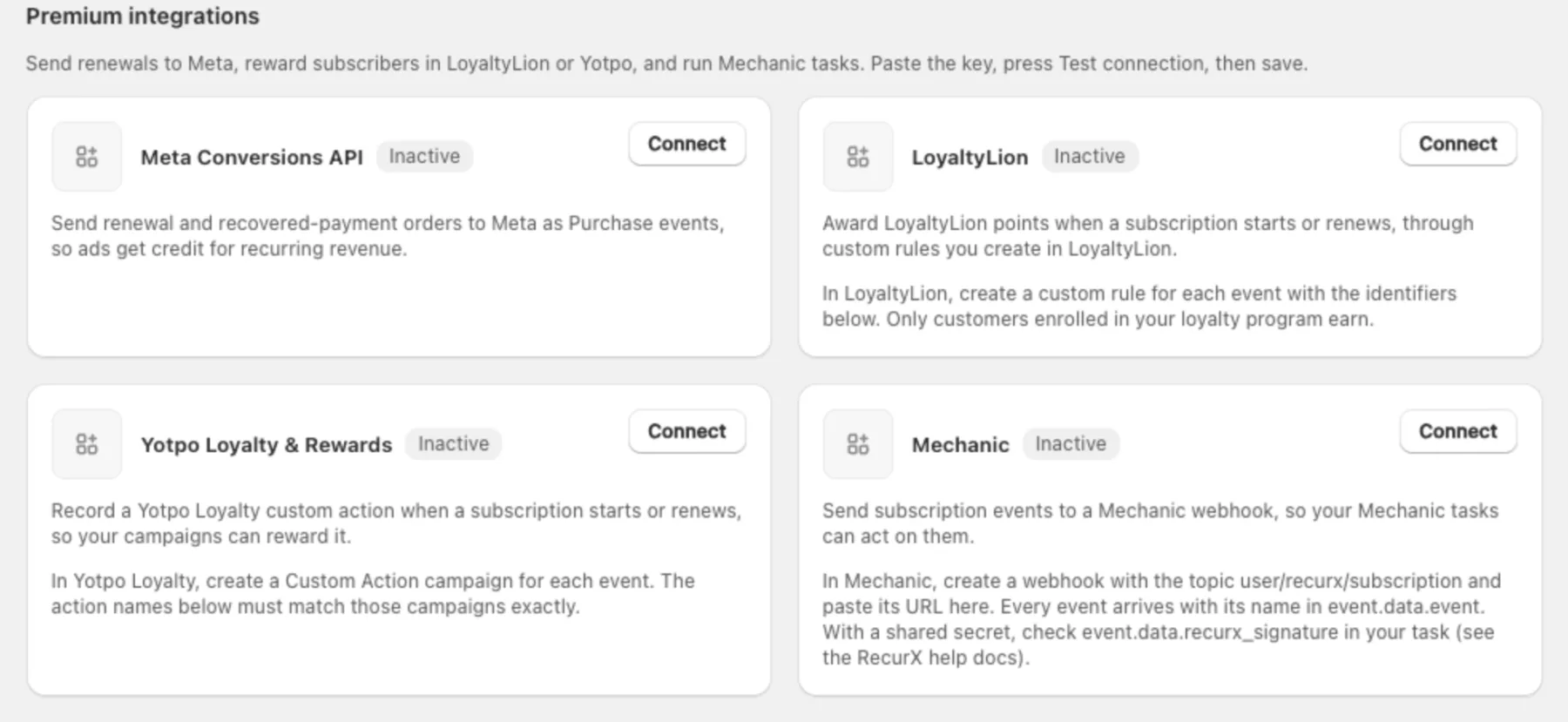
Premium integrations
- Meta Conversions API — sends renewal and recovered-payment orders to Meta as Purchase events, so ads get credit for recurring revenue.
- LoyaltyLion — awards points when a subscription starts or renews, through custom rules you create in LoyaltyLion.
- Yotpo Loyalty & Rewards — records a custom action when a subscription starts or renews, for your Yotpo campaigns.
- Mechanic — sends subscription events to a Mechanic webhook (topic
user/recurx/subscription).
Outbound webhooks
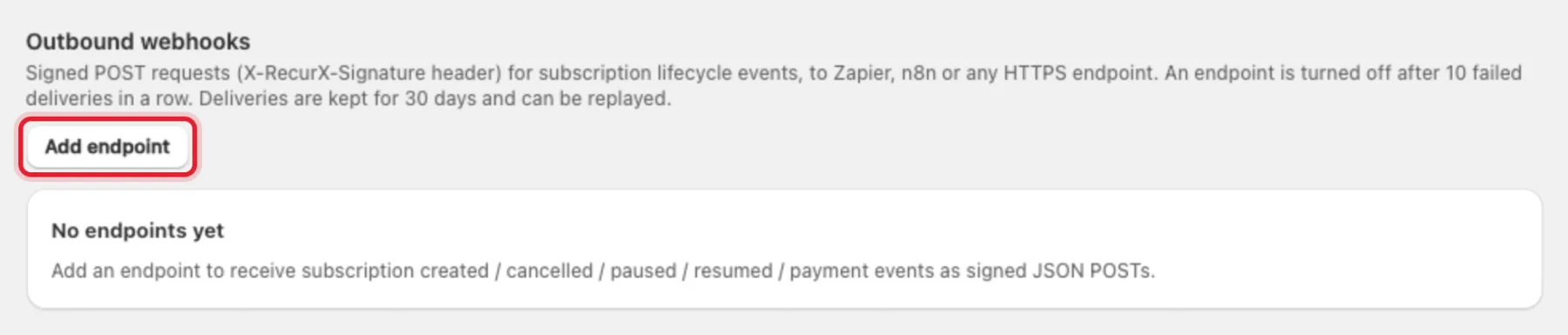
Send signed POST requests for subscription events to any HTTPS endpoint — your own server, Zapier or n8n.
- Click Add endpoint.
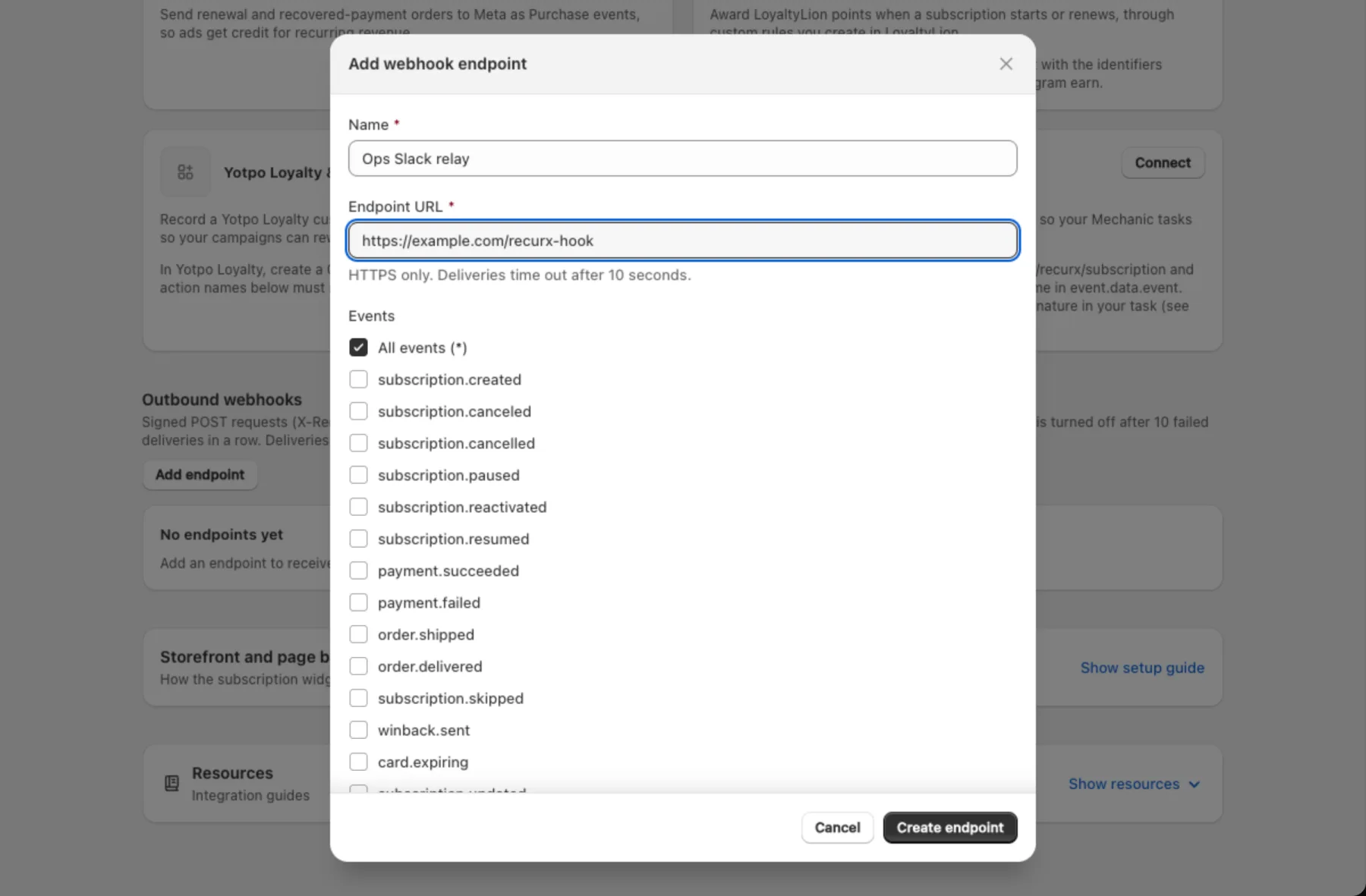
- Enter a Name and the Endpoint URL (HTTPS only; deliveries time out after 10 seconds).
- Under Events, keep All events (*) or tick the ones you want.
- Click Create endpoint, then copy the signing secret from the banner — it's shown only once.
Verify each delivery by computing an HMAC-SHA256 of the raw body with the secret and comparing it to the X-RecurX-Signature header. An endpoint is turned off after 10 failed deliveries in a row. Click Deliveries on an endpoint to see the last 30 days and Replay a delivery.
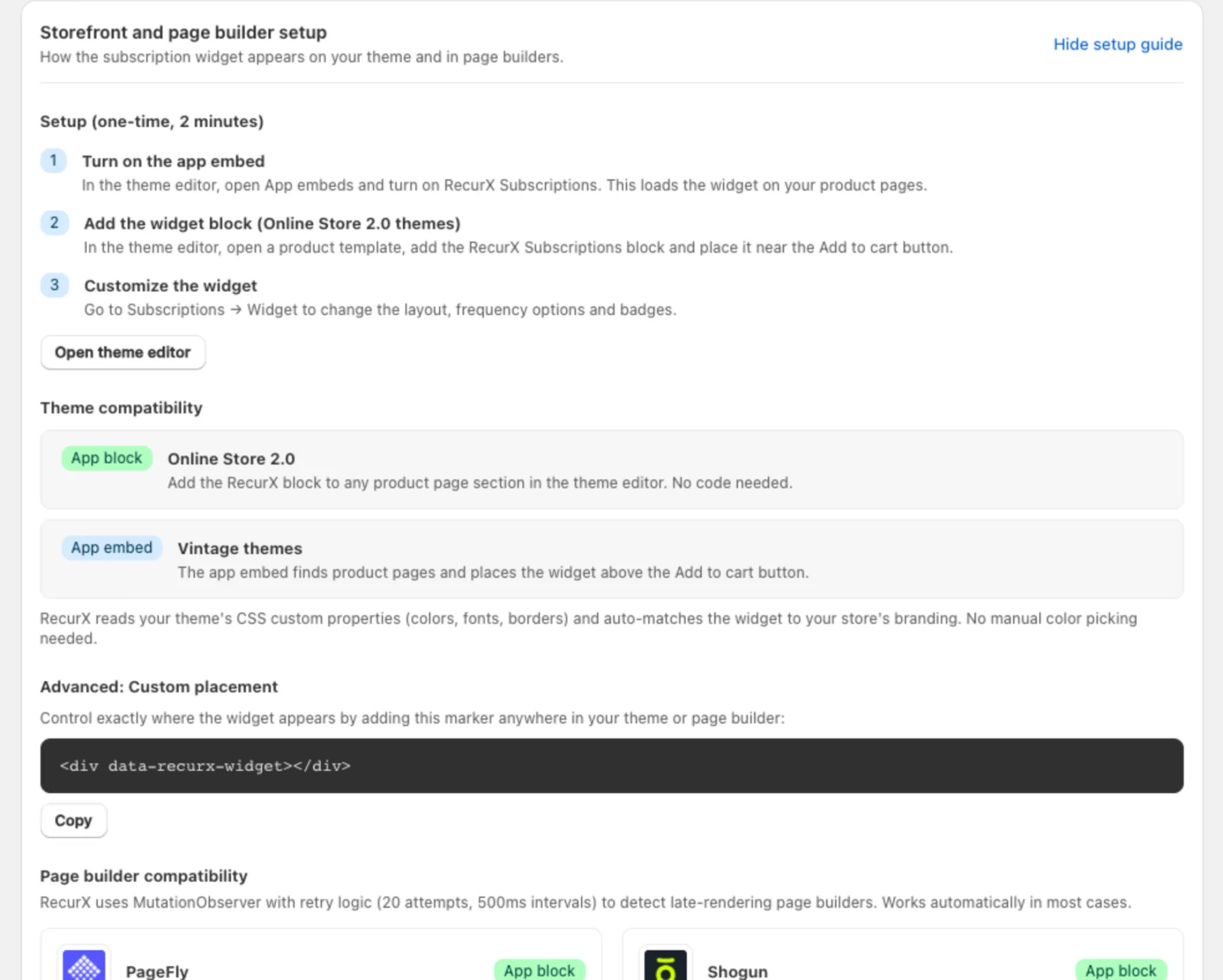
Storefront and page builder setup
Click Show setup guide at the bottom of the page for the widget install steps (Open theme editor), theme compatibility, the custom placement marker <div data-recurx-widget></div> and page builder support (PageFly, Shogun, GemPages, Zipify Pages). See Install the widget for the full walkthrough.
FAQ
What happens to a connected integration if I change plans? If your new plan doesn't include it, RecurX stops sending data right away and the card shows Paused. You can still disconnect it. If you move back to a plan that includes it, sending resumes.
Are my API keys stored securely? Yes. Keys, tokens and secrets are stored encrypted, used only on RecurX's servers, and never shown in full again after you save them.
I want to call RecurX from my own code. Use the public API with an API key.
Troubleshooting
- "These credentials couldn't be verified" — Test connection failed. Check that you copied the whole key and, where asked, the right list or account ID.
- Reconnect needed on a card — the other tool rejected the saved credentials, for example after you rotated the key there. Click Reconnect and paste the new one.